Wan 2.2 Fun Control vs Wan 2.1 VACE: Which Suits Video Creation?
Wan 2.2 just dropped and Alibaba’s been doing ongoing updates to this model. It’s called Wan 2.2 Fun Control. This Fun Control was released before in Alibaba’s PAL for Wan 2.1, and now it’s coming over to Wan 2.2 with ControlNet motion control and the Fun inpaint models for video generation. The inpainting part is for animating the first and last frames of the video. That’s the main thing it does. I’m focusing more on the Fun Control model.
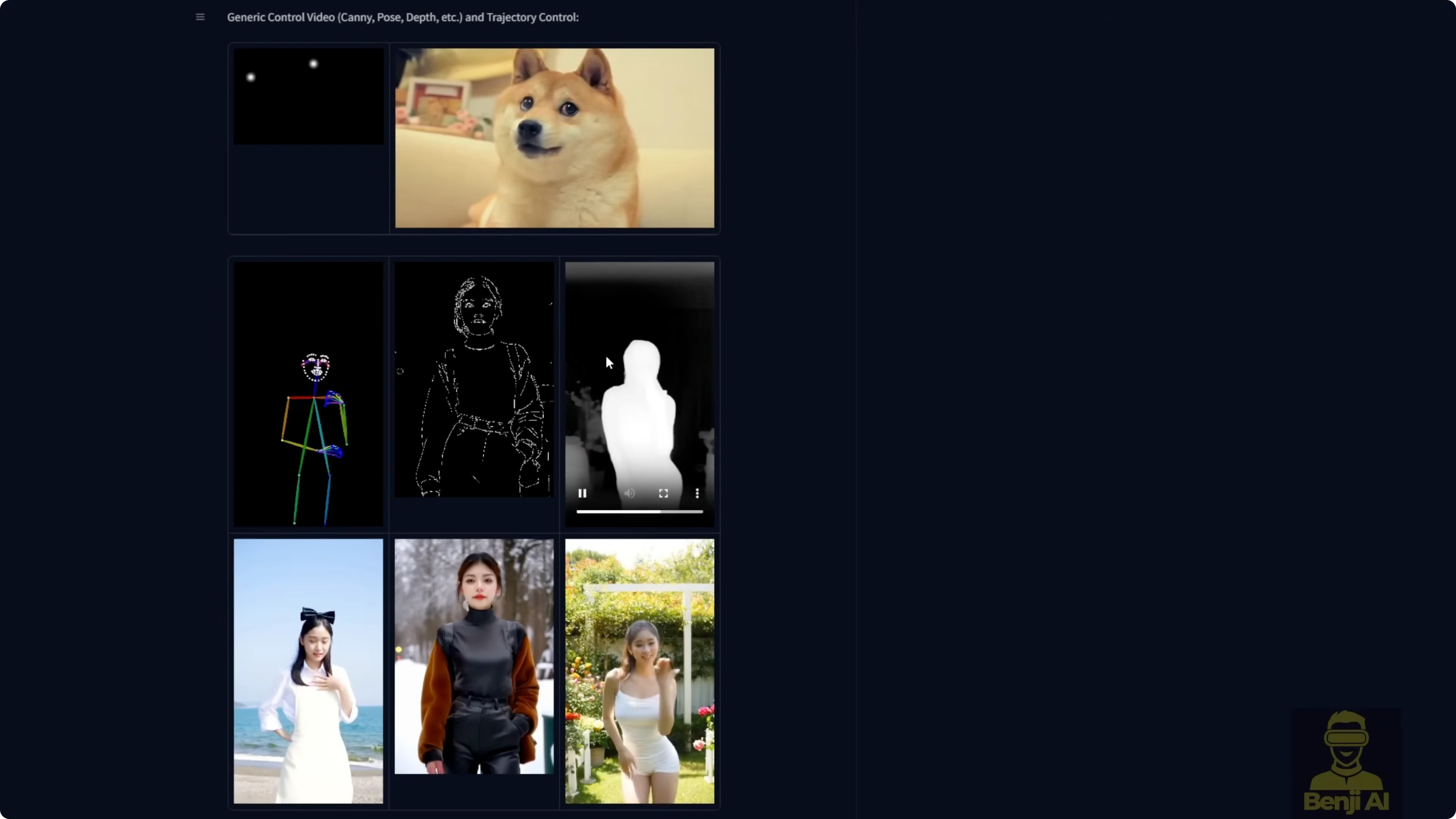
Fun Control can take canny, depth, pose, and MLSD as control motion guides for video generation. It can also use point trajectories like a dog with two guiding dots that track the motion, and the model renders so the head follows that motion path. The most popular way to use it is with ControlNet, where you can use DW Pose, OpenPose, depth maps, or canny edges as motion guides for characters.
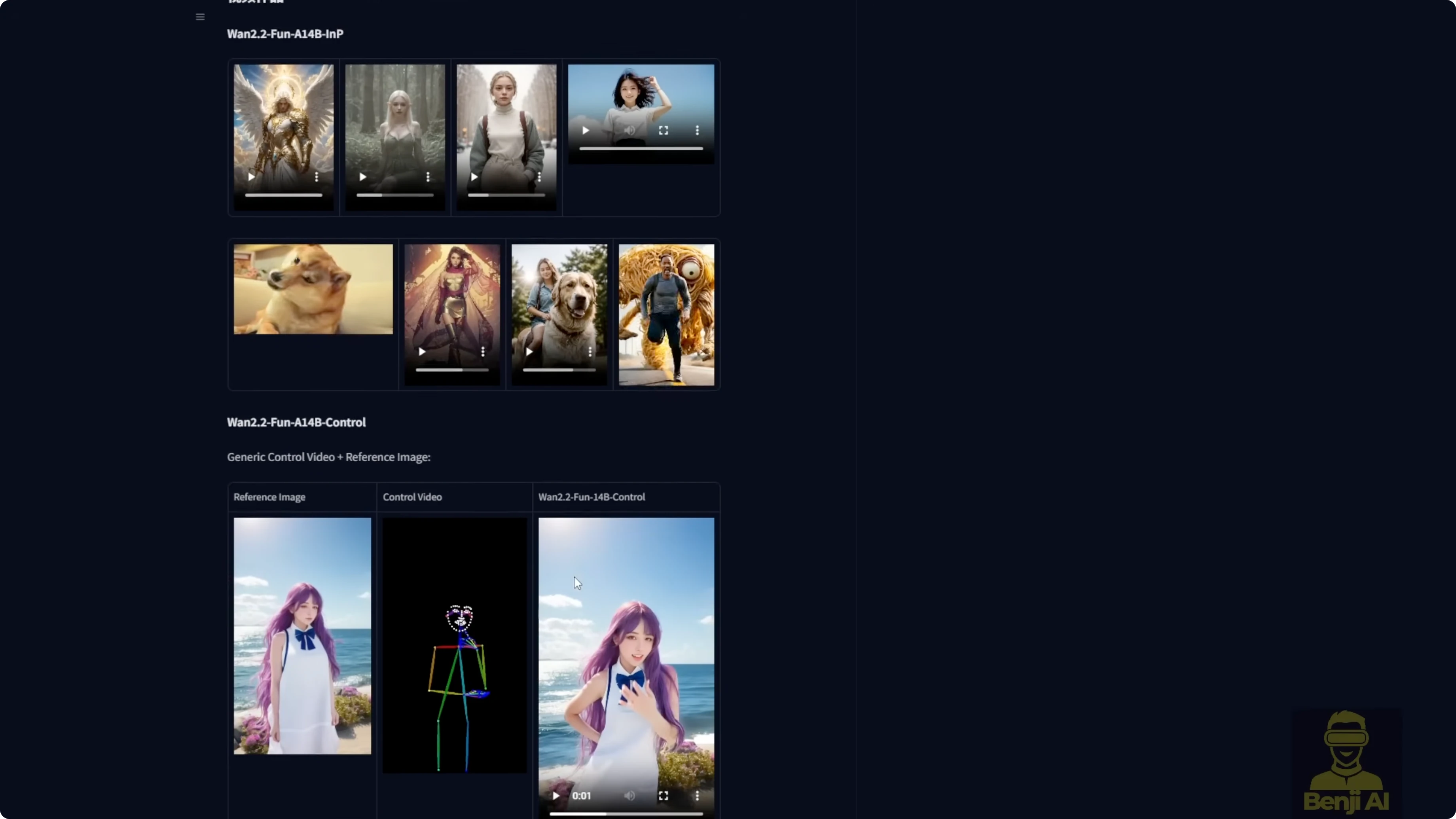
I’ll be honest, it’s not top tier quality. From what I can tell, this is mostly experimental stuff from Alibaba PAL. These are preview models for what’s coming later. It’s a sneak peek at what Wan 2.2 could do in the future.
Wan 2.2 Fun Control vs Wan 2.1 VACE: Which Suits Video Creation?
What Fun Control is offering right now
- Control sources: canny, depth, pose, MLSD, and point trajectories
- ControlNet guidance: DW Pose, OpenPose, depth maps, canny edges
- Two-model setup: high-noise and low-noise variants
- Target use: motion-guided image-to-video generation, plus optional inpainting for the first and last frames
Quality isn’t on par with Wan 2.1 VACE. Fun Control follows ControlNet motion, but character and outfit consistency are shaky. It feels like a research preview rather than a production tool.
Files, size, and structure
The Fun Control model is downloadable for ComfyUI and structured like the regular Wan 2.2 14B models:
- High-noise model
- Low-noise model
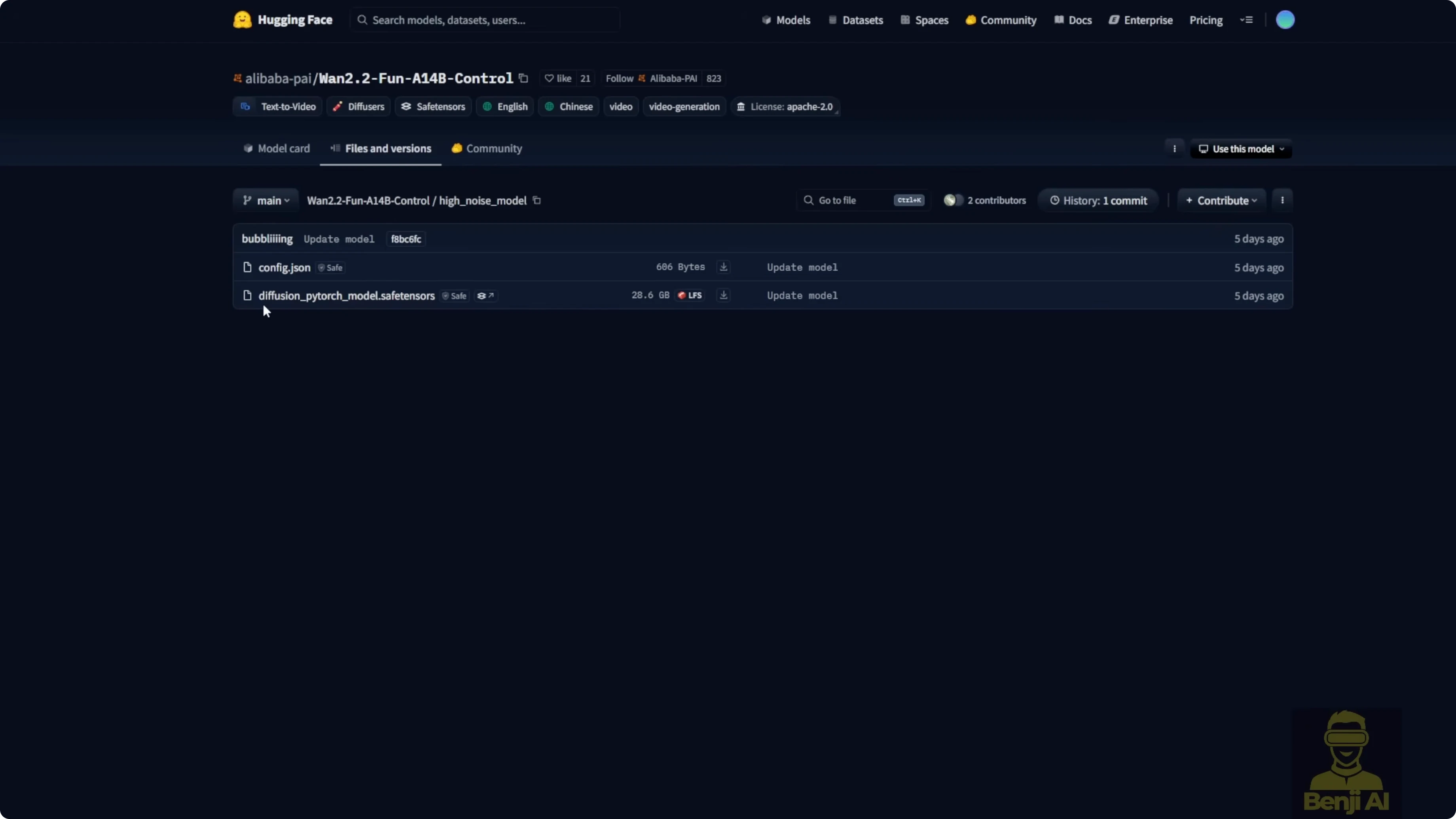
Each model is about 28 GB and can use over 20 GB of VRAM during generation. If you have less VRAM, try the Wan 2.2 Fun Control for low VRAM FP8 scaled-down models in the WAN Video Wrapper repo. Use FP8 high-noise together with FP8 low-noise.
Set Up Wan 2.2 Fun Control in ComfyUI
Install the models
- Download the Wan 2.2 Fun Control 14B high-noise and low-noise model files.
- Rename the safetensors to something meaningful so you can tell the high and low models apart.
- Save them in your ComfyUI folder under models, then diffusion models.
- Optionally create a dedicated subfolder for Wan 2.2 Fun Control and place both model files there.
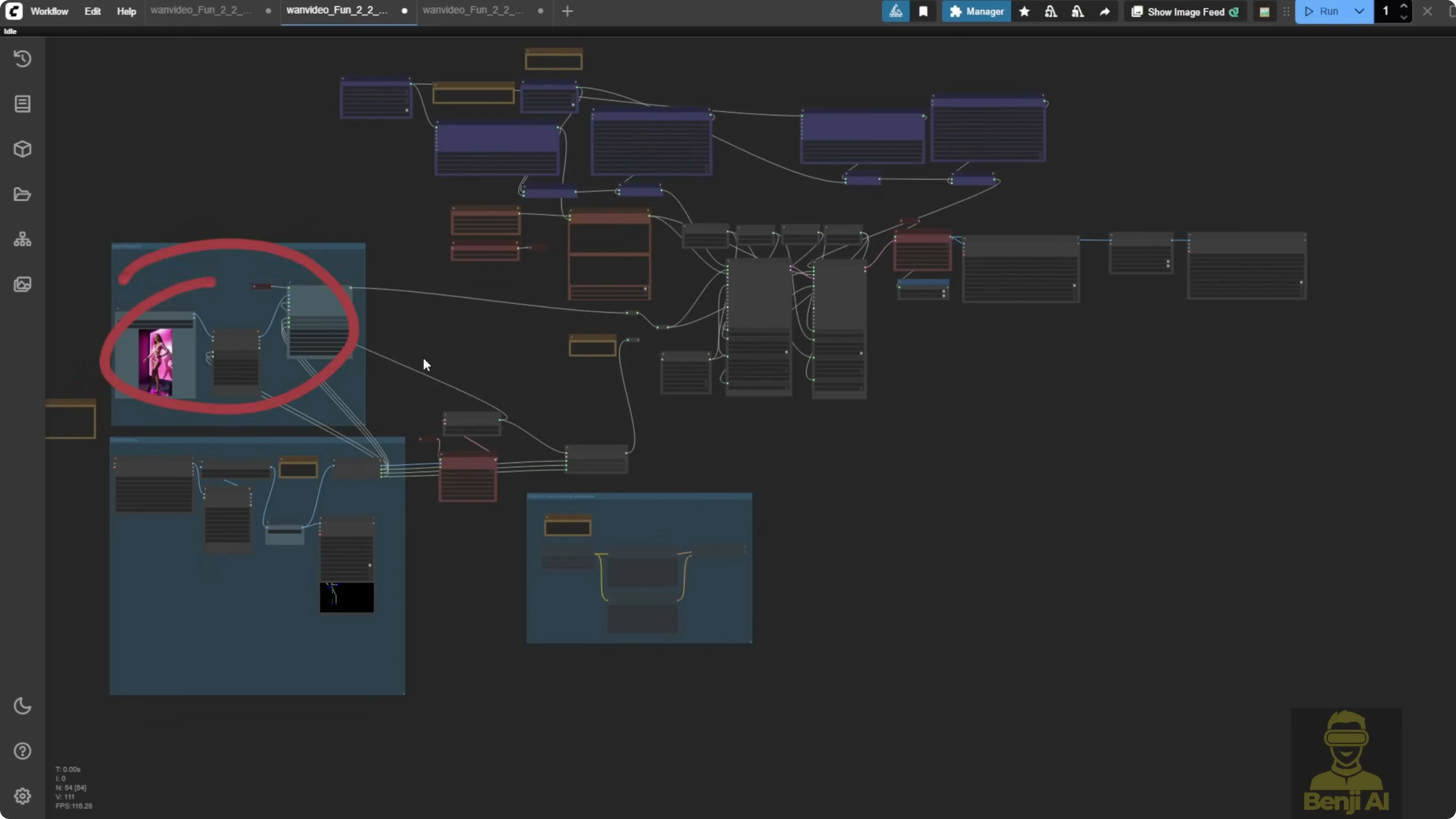
Load the example workflow with the WAN Video Wrapper
- Install the ComfyUI WAN Video Wrapper custom node pack.
- Open its examples folder and locate the JSON named something like wan video fun 2.2 control examples.
- Drag and drop the JSON into ComfyUI to load the workflow.
- Load a still image as your source.
- Load a reference video for motion control.
- Select a ControlNet pre-processor such as DW Pose. You can also use OpenPose, depth maps, canny, or MLSD.
- Send the ControlNet image frames to the WAN video encode node for the control embed.
- Connect the control embed to the WAN image-to-video encode node.
- Load both model loaders: Wan 2.2 Fun Control high-noise and low-noise.
- Keep the LORA that’s included by default, Lightex 2V text to video v2 LORA, to reduce sampling steps.
- Configure two samplers: one for high-noise and one for low-noise. The default is 6 total steps, split 3 and 3.
- Set the scheduler to DPM++ SDE. Do not use UniC here.
- Decode with VAE to get the final video.
- Optionally enable frame interpolation to double the frame rate, for example 30 to 60 fps or 16 to 32 fps.
- Run the workflow.
Generate longer videos with context options
- Add context options to the sampling setup.
- Split the video into chunks of 81 frames to enable longer sequences, such as 450 frames.
- Use uniform standard if you want the default chunk handling.
- Choose a resolution that your GPU can handle. Wan 2.2 Fun Control supports 720p and 480p.
- Set the pre-processor resolution to 704 pixels. You can push to 768, but 704 works better with this setup.
- Start generation.
What I saw in testing
First runs with DW Pose as motion guide
- Test 1: 450 frames, 6 total steps, split 3 and 3 with context options and uniform standard.
- The model follows ControlNet motion.
- Clothing and colors drift. When the character turns, the outfit changes and looks messy, then partly recovers.
- Test 2: 10 total steps, split 5 and 5.
- Color improves.
- Early frames don’t match the outfit from the reference image. Parts of the video switch to a different outfit.
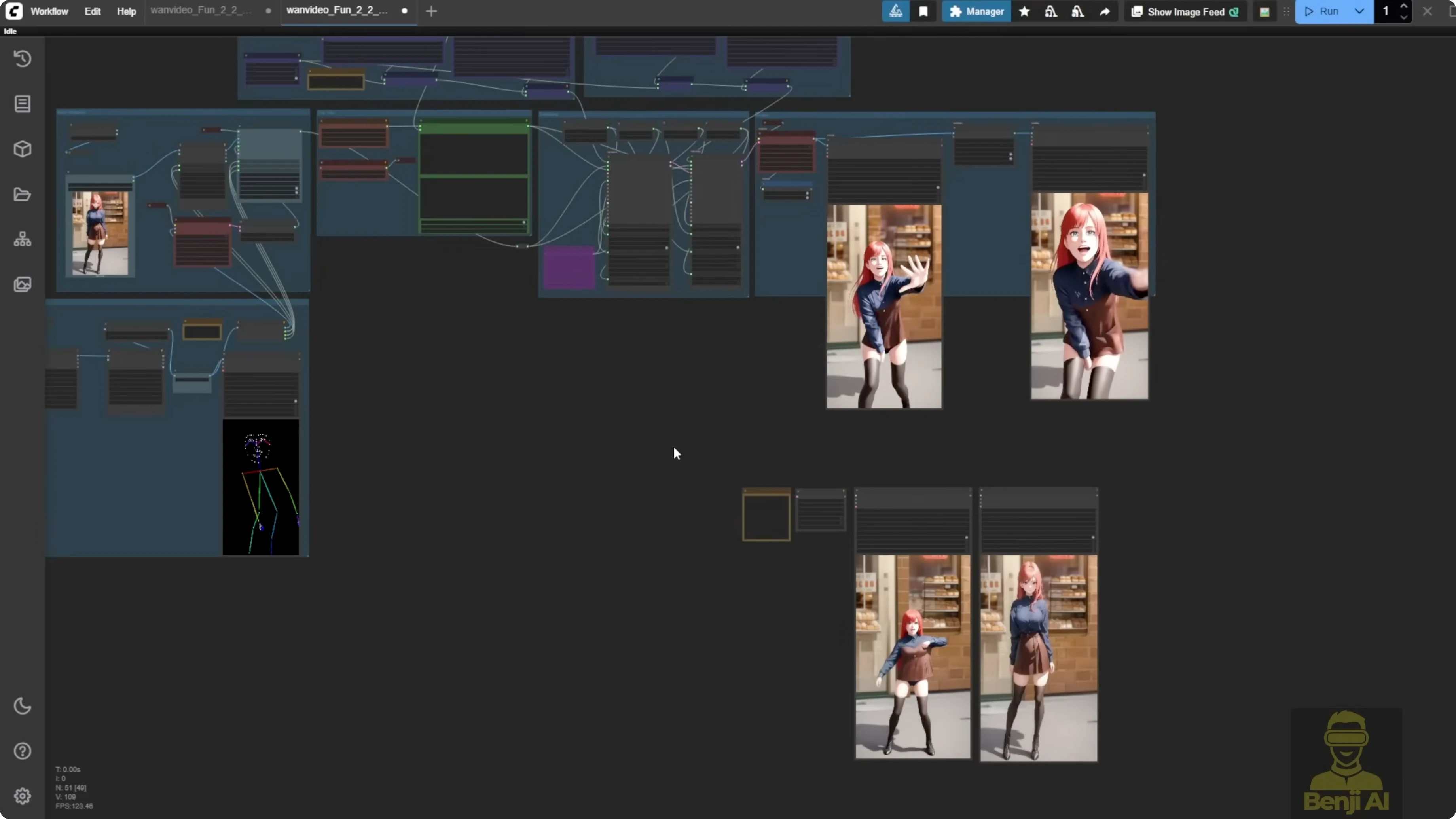
This isn’t the quality I expect from Wan 2.1 VACE. With VACE I’ve had videos where the character moved differently, but outfit and background stayed consistent across poses.
Making Fun Control behave better
I used the first frame of the reference video, ran it through Flux context to change the style and some elements, and kept the composition very close. That helps because Fun Control works best when the reference image composition matches the control pose.
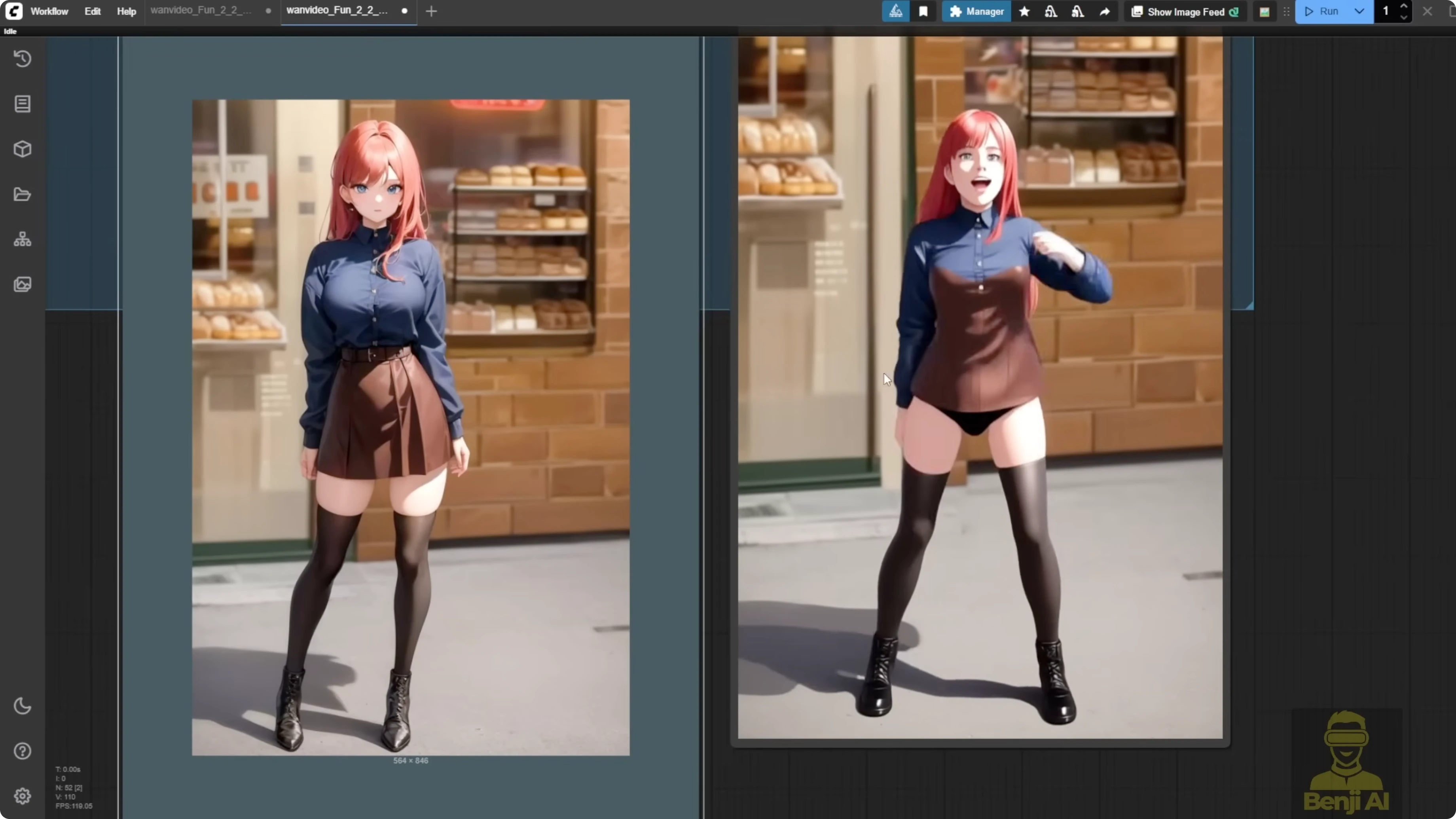
- I took video frames, ran them through Flux context to adjust the walking path on a bridge and added some fire.
- I used Depth Anything v2 as the ControlNet model.
- Output quality improved a lot. Doubling the frame rate made motion smoother. It copied the original motion while adding new elements.
- In another test I added more fire and it still kept motion accuracy.
DW Pose struggled with walking backward in a multi-element scene. Depth Anything v2 handled that kind of scene better.
Matching pose and composition matters
If the first frame has a totally different pose or position from the reference, Fun Control falls apart. A close-up pose paired with a full-body reference leads to weak accuracy in both pose and character consistency.
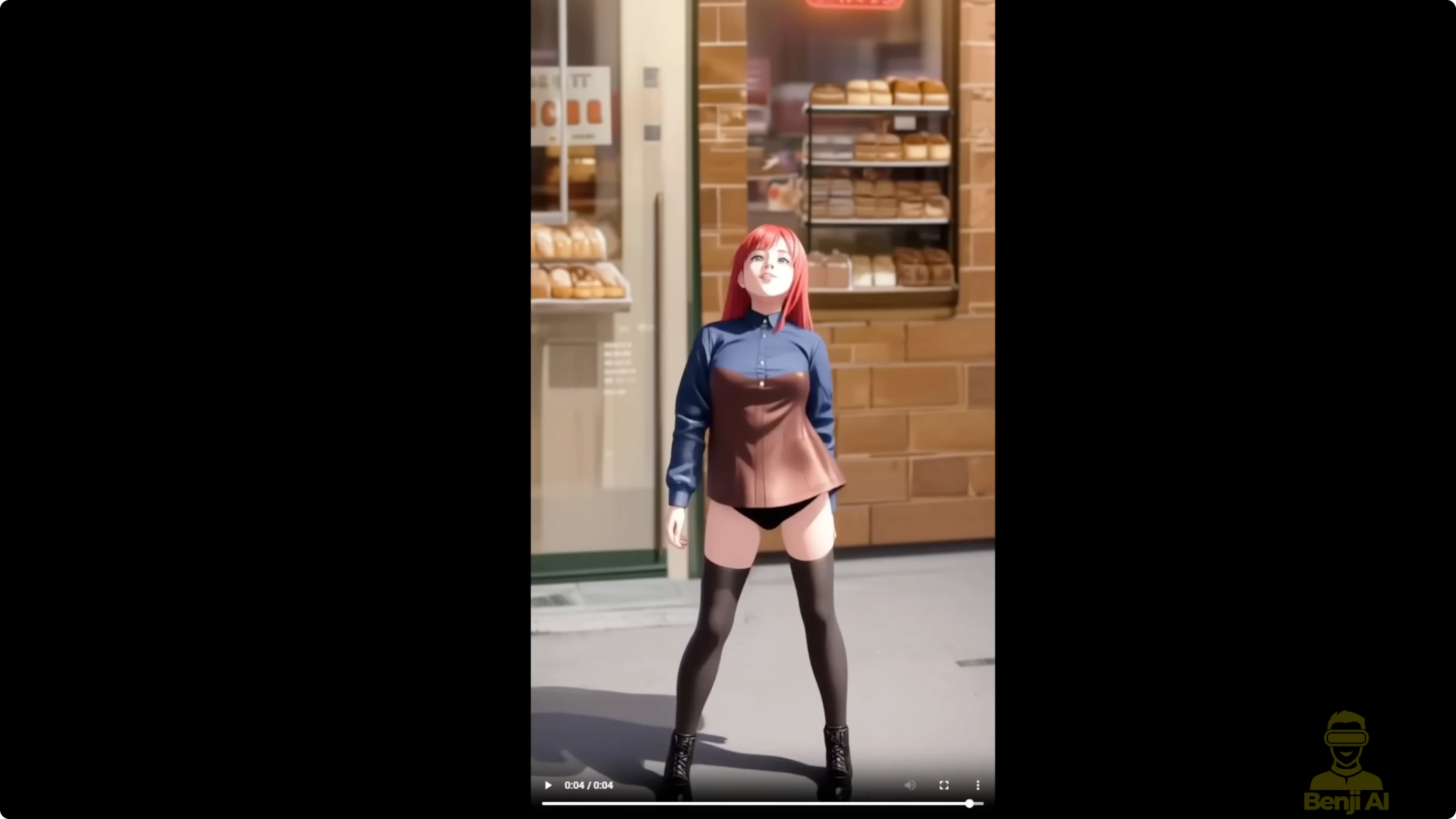
I used the same TikTok dance video as the control and converted the first frame to anime with Flux context. Since the pose and composition matched, the result was much better:
- No outfit inconsistencies
- No weird deformations
- Stable style through the sequence
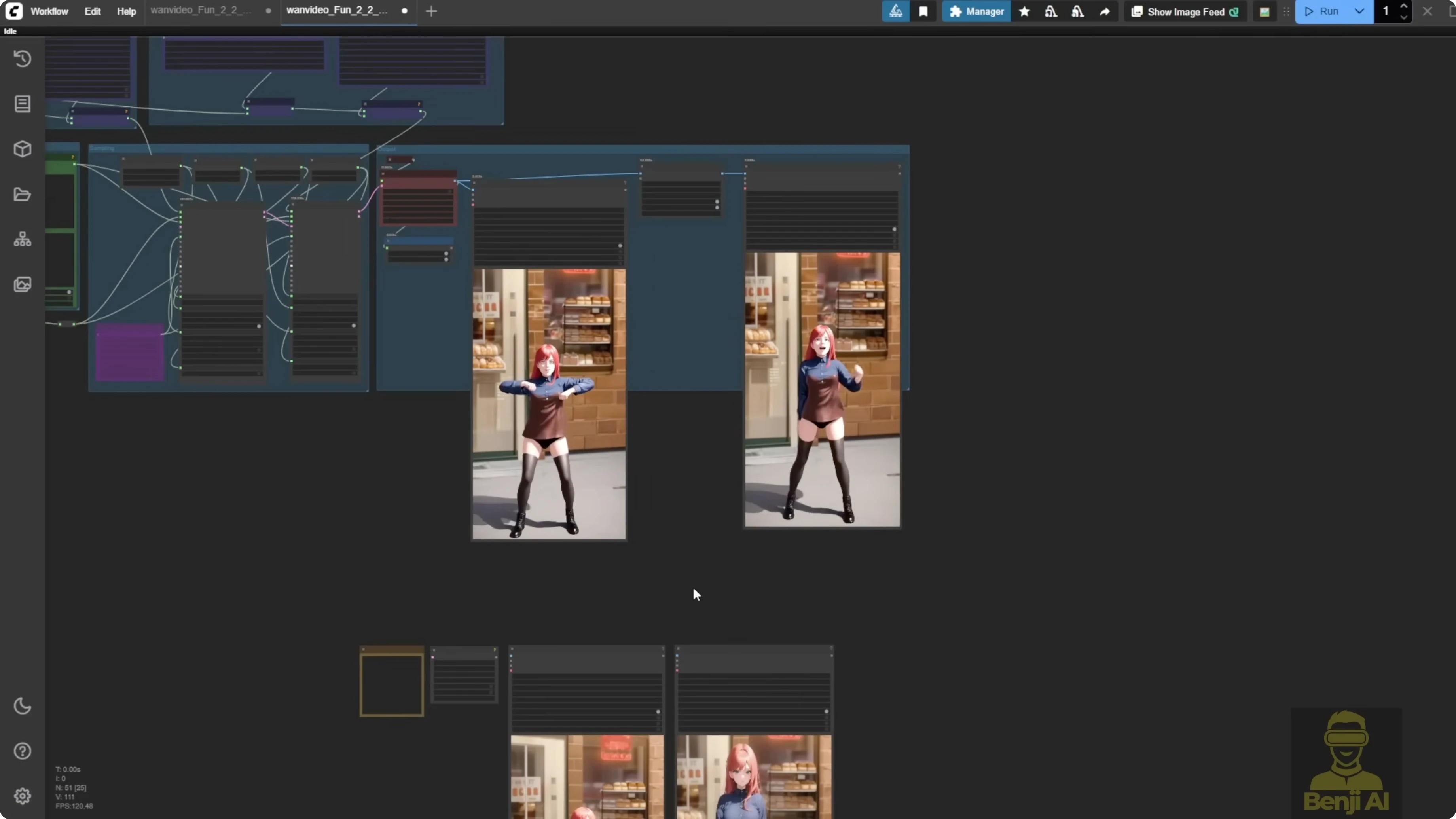
Fun Control can do ControlNet motion for AI videos, but it isn’t forgiving. You can’t feed any random pose or reference and expect clean results. With Wan 2.1 VACE or the upcoming 2.2 VACE, you get more flexibility. Those models handle different poses from the reference image and still keep the character consistent, especially with ControlNet input. With Fun Control, I recommend using Flux context first to match character and style, then apply the same pose for motion.
Wan 2.1 VACE still leads for consistency
I ran the same reference video and image through Wan 2.1 VACE with the 14B FP16 model and added a LORA to boost detail and quality. I tested 480p and 720p:
- 720p looks much clearer.
- Doubling 30 fps to 60 fps with interpolation is very smooth.
- Upscaling helped both versions. Even the 480p clip looks solid at 30 or 60 fps.
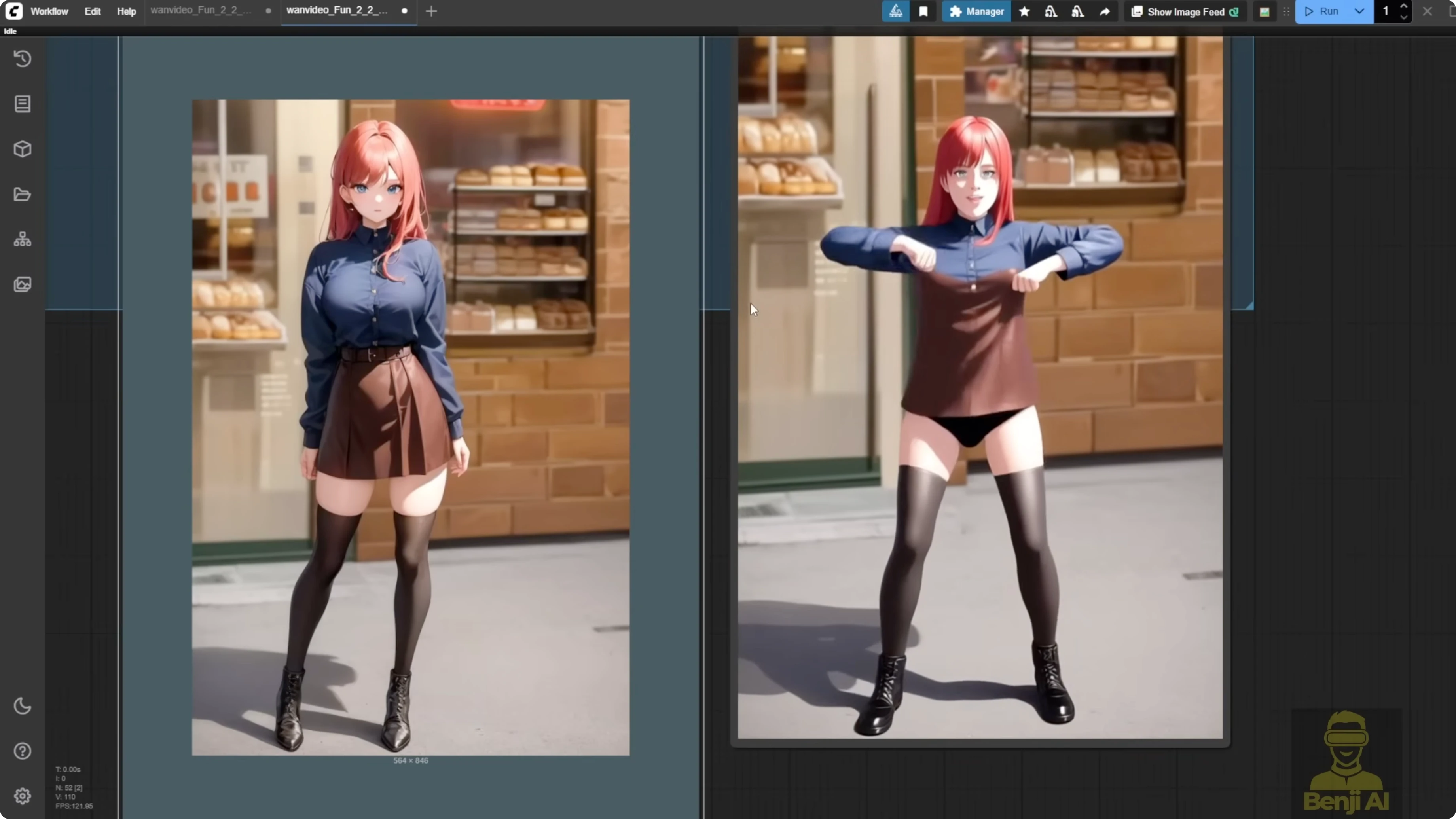
Key point: Wan 2.1 VACE keeps the character’s outfit consistent as long as your prompt is on point. Even with different poses between the reference image and video, it animates smoothly without morphing clothes or awkward shifts. Compared to Fun Control, the difference is big. Fun Control’s outfits wander and colors don’t match the reference.
Practical tips to get better results with Wan 2.2 Fun Control
- Keep the first frame composition close to the ControlNet pose.
- Use Flux context to align character style and scene before sending it into Fun Control.
- Prefer Depth Anything v2 for complex multi-element motion. Use DW Pose for simpler, cleaner skeleton motion.
- Stick with DPM++ SDE and split steps across high-noise and low-noise samplers.
- Use frame interpolation to boost perceived smoothness.
- Pick 704 pixels for the pre-processor resolution, even if your output is 720p.
Final Thoughts
Fun Control is interesting, but it feels like an early test model from Alibaba’s research pipeline. It follows motion, but consistency and style retention aren’t on the level of Wan 2.1 VACE. You can get solid clips if you match pose and composition, prep the first frame with Flux context, and choose the right ControlNet model. For production-grade consistency, Wan 2.1 VACE is still the safer choice right now. Think of Wan 2.2 Fun Control as a preview. The Wan 2.2 VACE release is where I expect things to really come together.
Recent Posts

How Wan 2.2 AI Boosts Video with 14B Generation & 5B Upscaling?
How Wan 2.2 AI Boosts Video with 14B Generation & 5B Upscaling?
Can Wan 2.2 Img2Vid Handle Long-Length Video Testing?
Can Wan 2.2 Img2Vid Handle Long-Length Video Testing?
Exploring Wan 2.2’s Final Frame and Local AI Video Highlights
Exploring Wan 2.2’s Final Frame and Local AI Video Highlights