Can Wan 2.2 Img2Vid Handle Long-Length Video Testing?
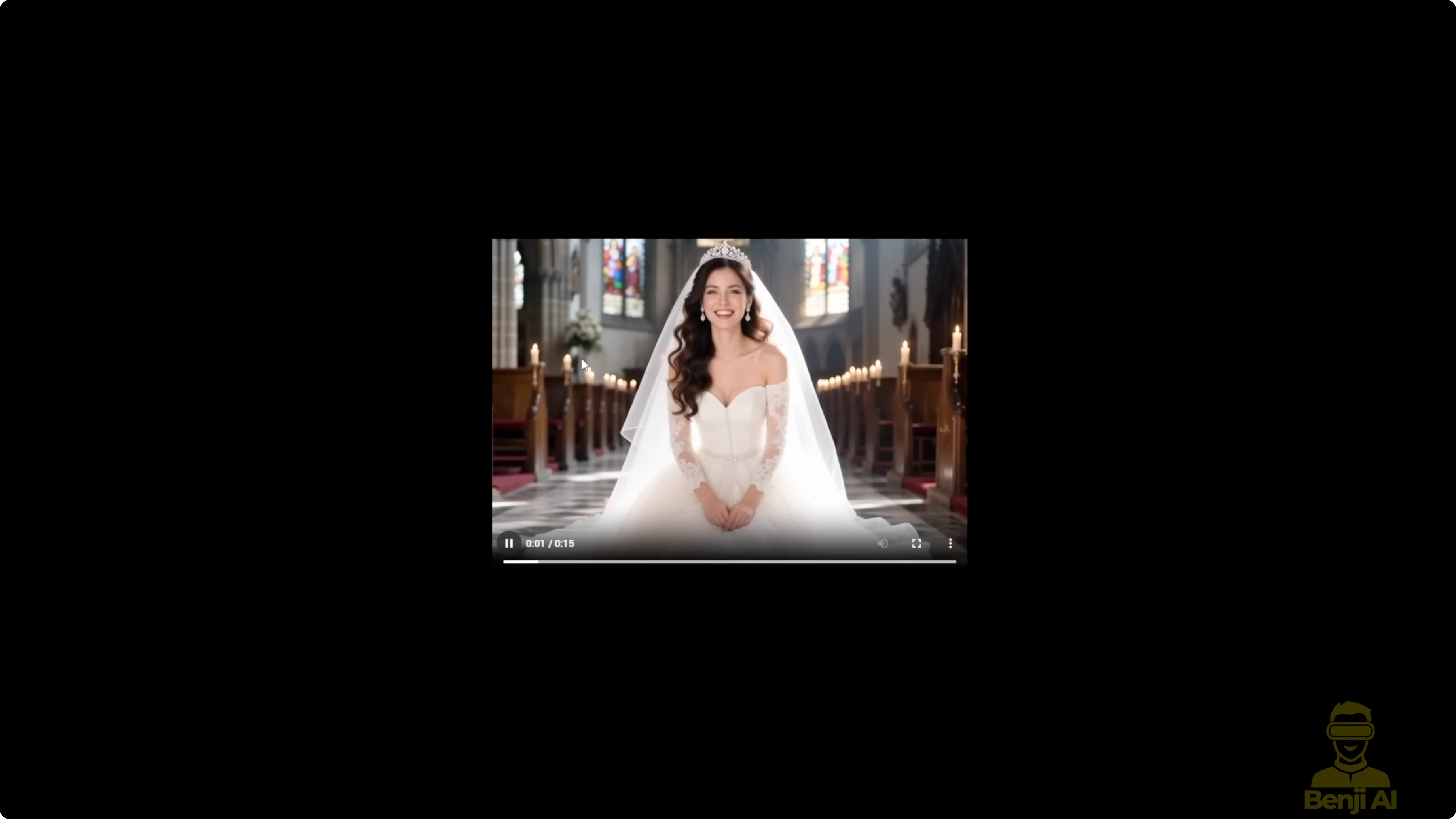
I'm continuing with WAN 2.2 image to video testing. There's something else we can play around with in the WAN 2.2 image to video. I've discovered that you can use multiple frames for the first last frames to video method, and we can generate pretty long videos with WAN 2.2.
There are limitations. If the video gets too long using the image to video method, it starts to degrade after a certain number of seconds. There is also some interesting stuff happening with the first and last frame image generations, especially when you use travel prompts for different durations across a longer video.
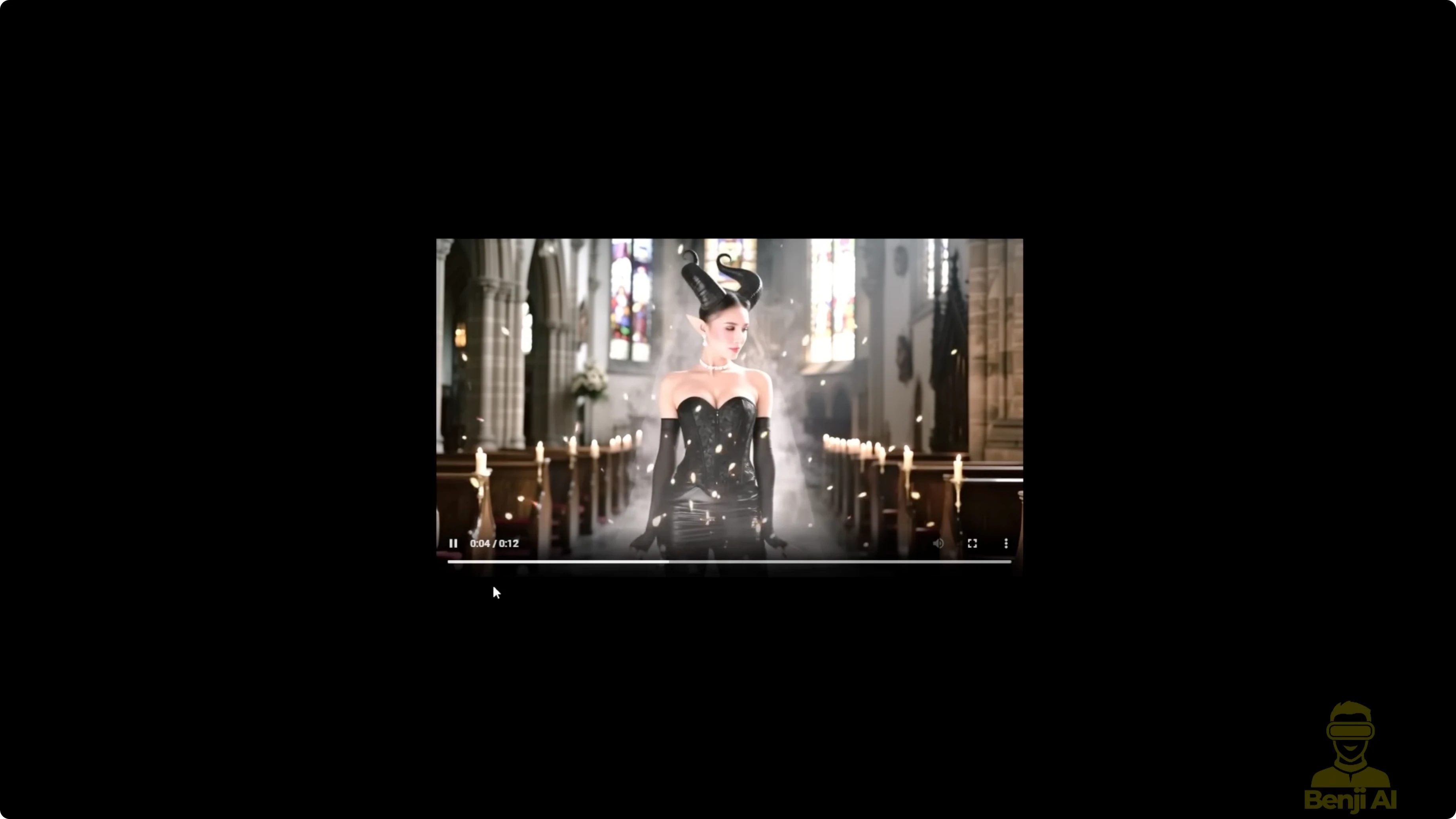
Here's another example I did with a similar image, but this time using the WAN 2.1 vase. The transitions between each 5-second segment are smoother, but there are drawbacks like prompt adherence not being as strong as in WAN 2.2. When I change the prompt from guy to demon, that's exactly what shows up throughout my travel prompts in this recent workflow.
We can also play around with existing videos we use for demo purposes. Take a few frames from the beginning and turn them into something else. That guy isn't going to look the same as he does in the original demo video.
Can Wan 2.2 Img2Vid Handle Long-Length Video Testing?
First last frames to video - proof of concept
Here I've got a very simple basic first last frames to video node. I connected the start image. For the start image, I took four frames from this footage. Throughout the video, I pulled these four image frames and fed them in here.
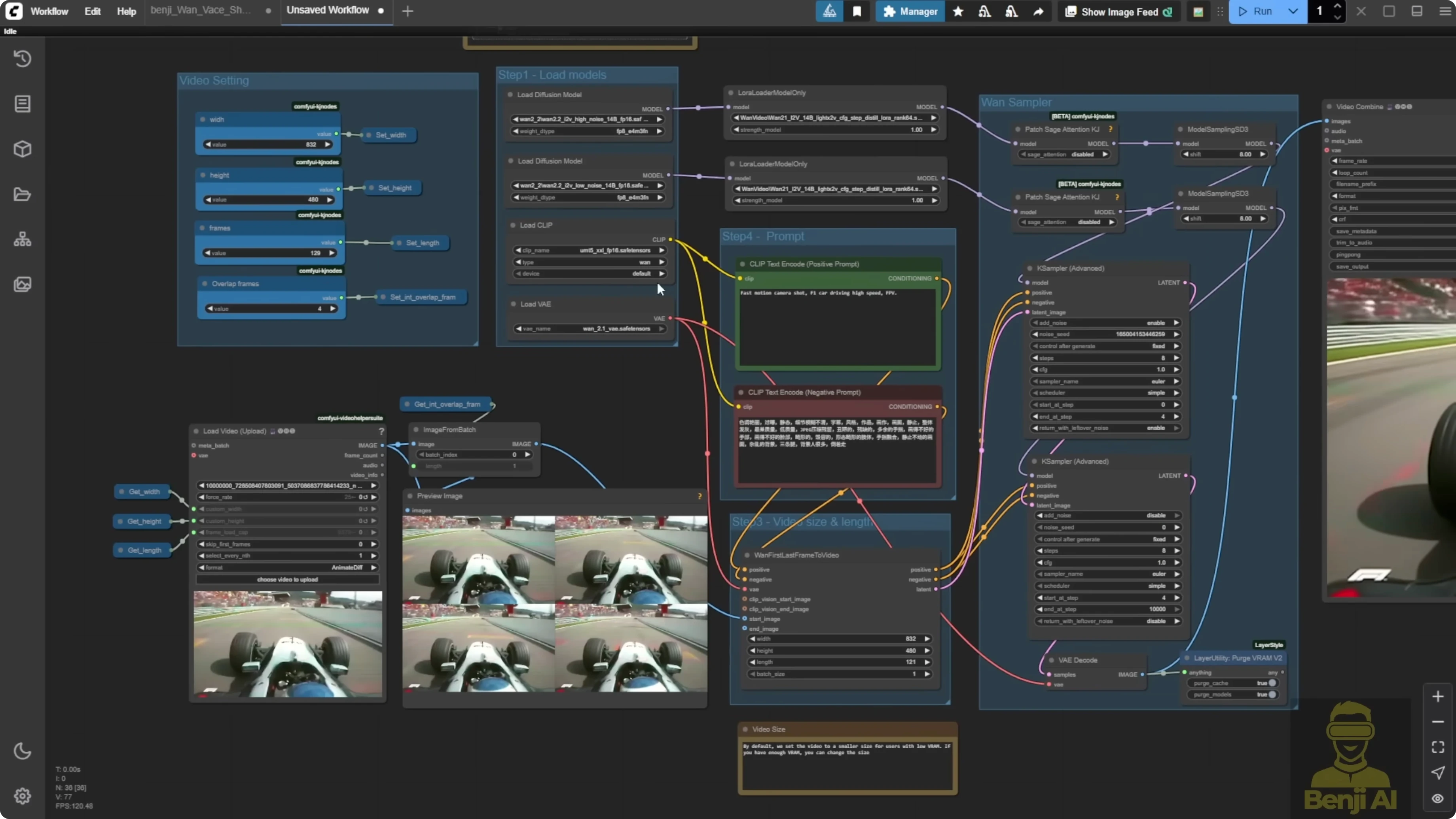
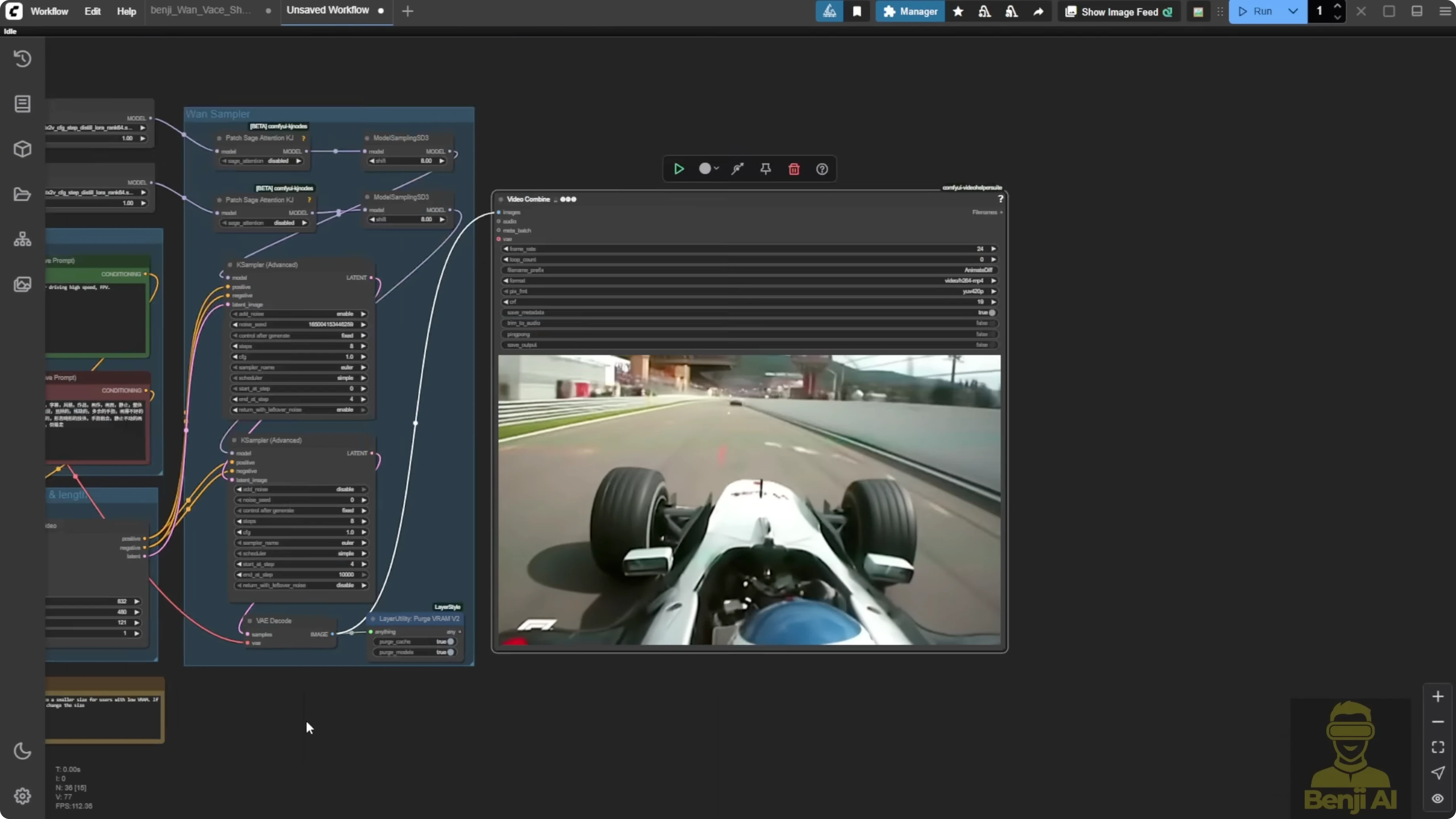
Continue the video generation. The generated video looks just like those first four frames, and then it starts transitioning into AI generated content in the last few seconds. This is proof of concept. It can take multiple image frames as the start image and we do not even need to connect an end image.
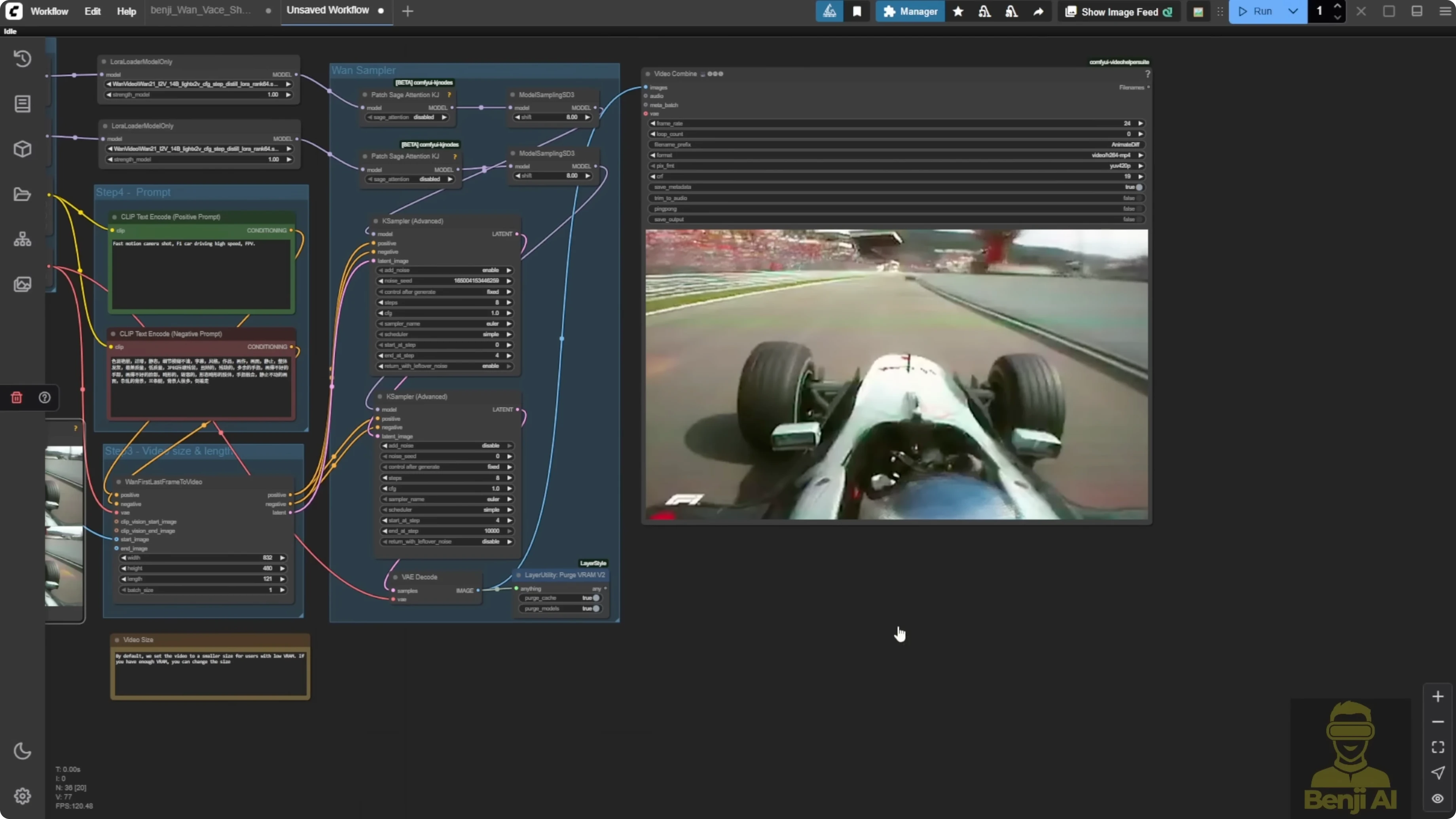
Step-by-step: Build the first last frames to video setup in WAN 2.2
- Connect the start image in a first last frames to video node.
- Extract four frames from the beginning of your footage.
- Feed those four frames into the start image input.
- Generate the video and review the transition from the start frames into AI generated content.
Long-length generation with a for loop and travel prompts
That got me thinking about doing what I did before with WAN 2.1 for long video generation. Just a month ago, I used the WAN 2.1 vase with a for loop, feeding multiple samplers into different sampling time frames across the total video length. This workflow uses the image to video method with the WAN 2.1 vase. It was recently updated and I included both the video and the image options. Both can act as start frames.
We've also got travel prompts here. Each new line of text becomes a new instruction at the start of each looping sampling step. I created a similar setup for 1 2.2 using the same long video gen concept with a for loop. After the first 5 seconds or maybe 3 seconds, we keep extending the video length by generating in these looping video chunks. That is why the guy does some funky dancing, then turns into a demon, then turns back into a guy and keeps up that funky dance move, all using travel prompts.
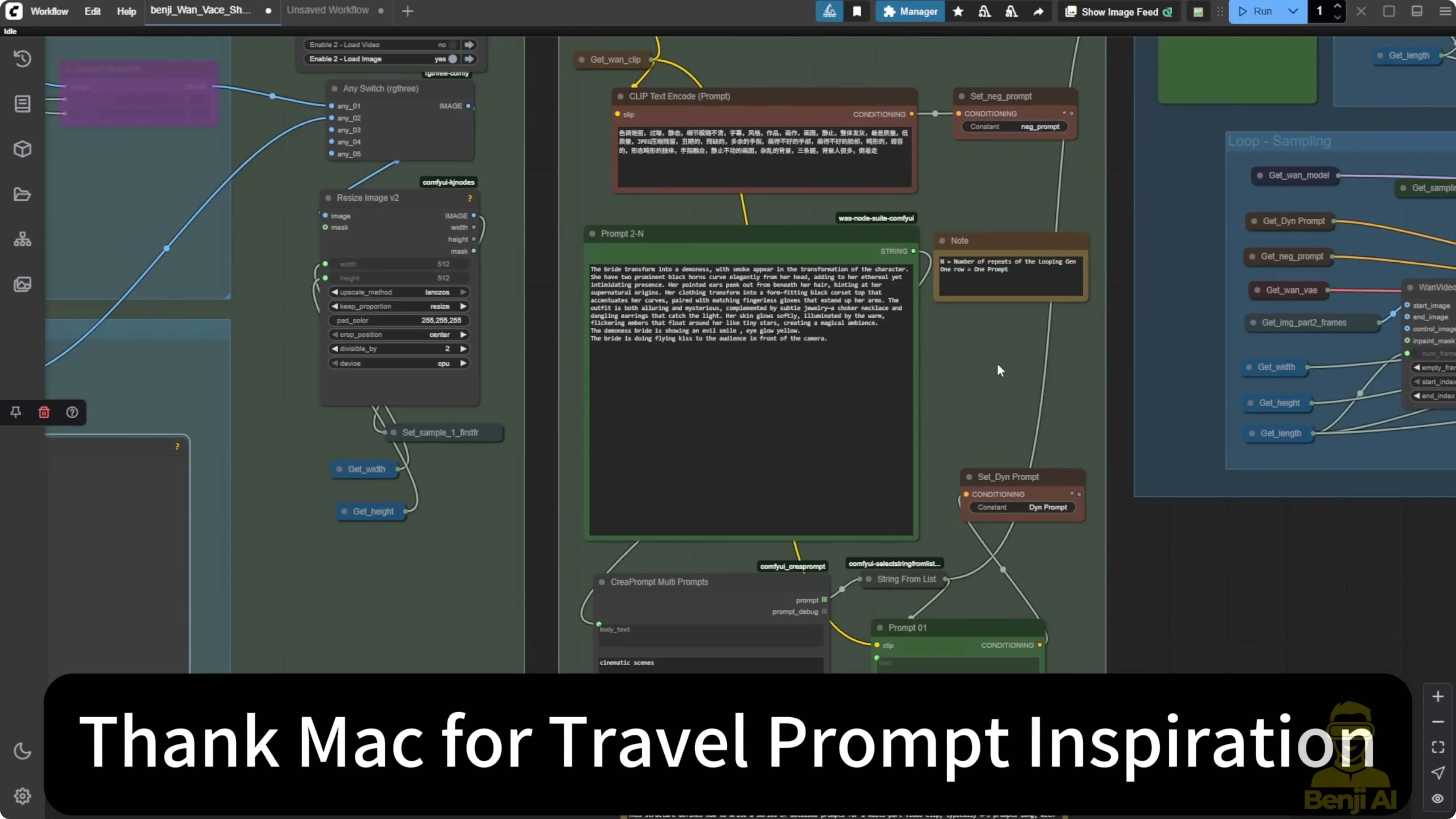
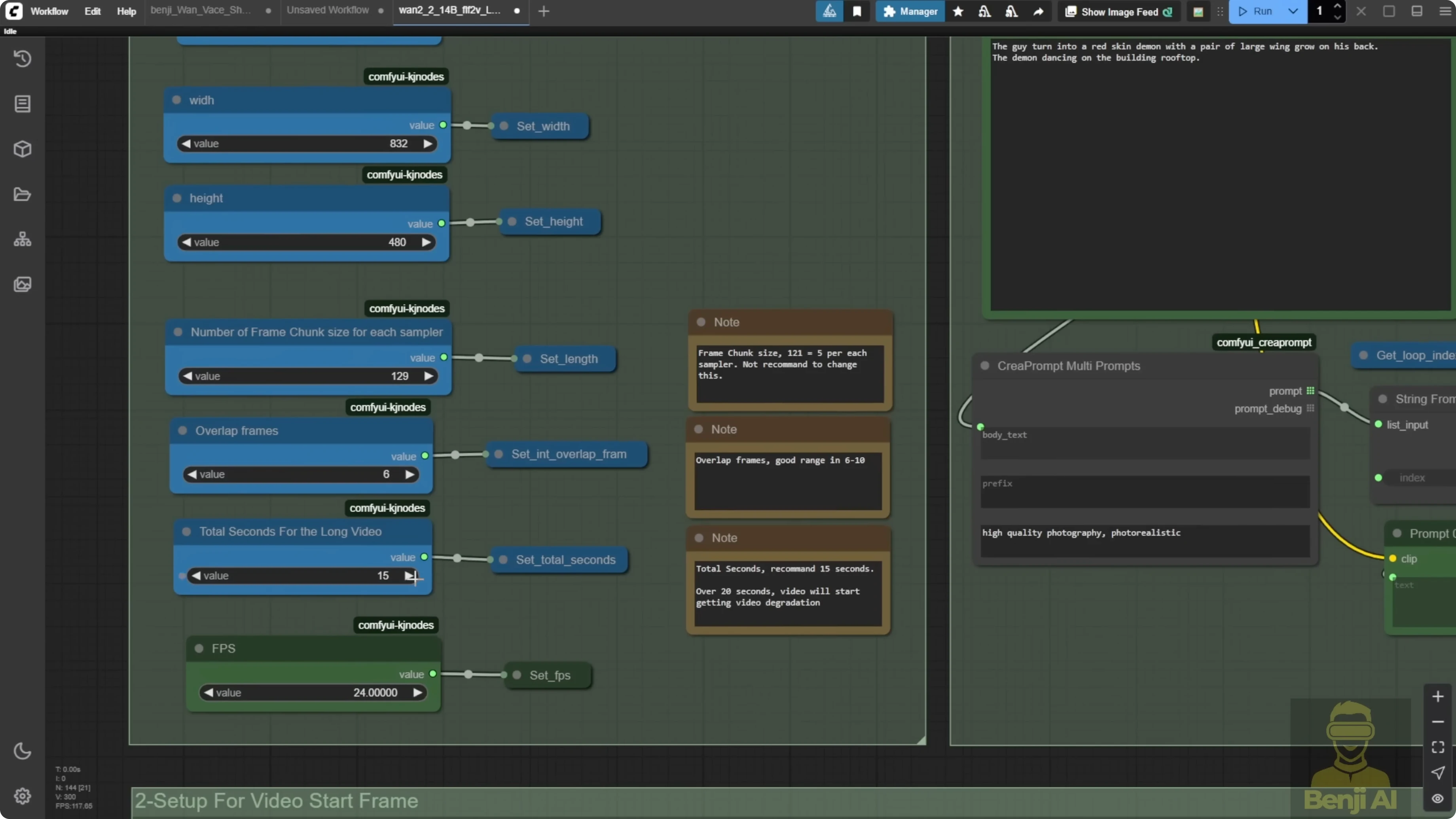
This is the first sampler's prompt, and then the looping prompts. You can use each new line as a travel prompt. Let's say I set it for 15 seconds and I split each chunk into 129 frames. That means each sampler generates about 5 seconds. We have three text prompts. The first one goes to the first loop. The first sampler I called part one. In the travel prompts, we have two new lines of text. You can write more detailed prompts if you want. For demo purposes, I kept it simple so it's easier for most people to understand, but technically it works with WAN 2.2 this way.
Example travel prompts:
guy
demon
Step-by-step: Create the long video loop with travel prompts in WAN 2.2
- Set up a for loop that feeds multiple samplers into different sampling time frames across the total video length.
- Use the image to video method with WAN 2.2 for generation.
- Write travel prompts where each new line is a new instruction for each looping sampling step.
- Set the total length to 15 seconds and split each chunk into 129 frames so each sampler generates about 5 seconds.
- Provide three text prompts, sending the first prompt to the first loop and first sampler you can label as part one.
- Add two new lines of text in the travel prompts for the subsequent loops.
- Generate and observe how the character transitions across loops based on the travel prompts.
Extending from an existing video with overlap frames
Even when I'm using a load video method, this approach acts like the original video extension using this workflow. If I check the overlap frames box, that is the number of frames you want to overlap for your extension. I set it to six, but you can use eight or 10. The same number goes into the initial load video. It will take six frames from there, then start extending using the sampler frames from part one and the loop, adding another 15 seconds.
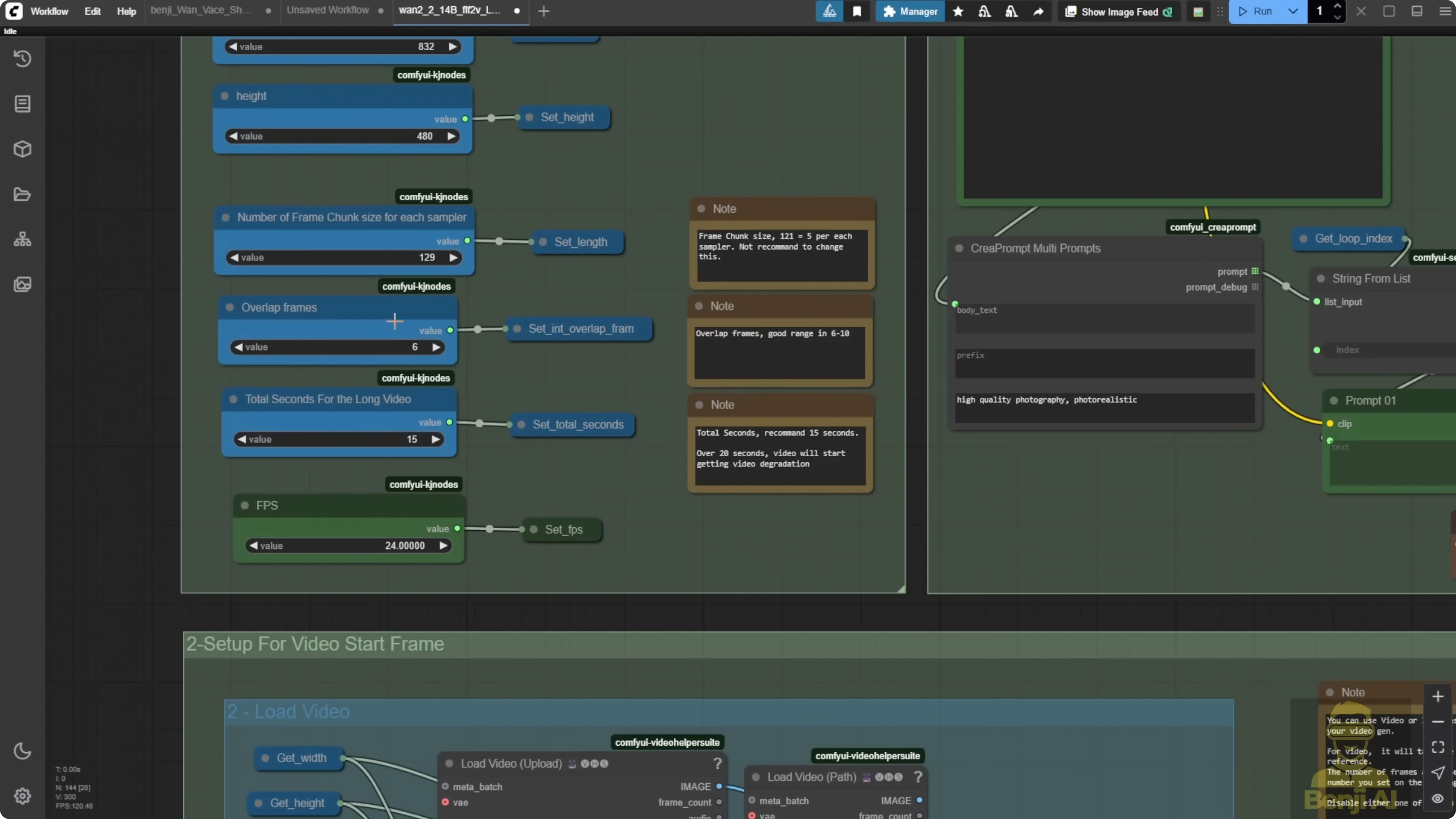
Step-by-step: Extend a loaded video with overlap frames
- Load the source video using the load video method.
- Check the overlap frames box and choose a value, for example 6 frames.
- Enter the same overlap value in the initial load video settings.
- Start the extension using the sampler frames from part one and the loop to add another 15 seconds.
What I am seeing after 15 seconds
With WAN 2.2, just using the image to video generation model, it starts to degrade after about 15 seconds. No matter what tweaks or modifications I try, it still happens. I'd say the best extension length is under 15 seconds. I even wrote that down in the notes. Recommended seconds, under 15. Go over 20 and things start getting weird.
Here is what shows up when it runs too long:
- At the 15-second mark, it can still look normal, but after that you start seeing color degradation.
- The character's motion gets weird and it cannot produce smooth, natural movement.
- A character can suddenly pop out of the water and it does not look clear like in the first few seconds.
- At 29 seconds in, the water is degraded, leaves look cartoonish, and the character's color saturation gets worse.
WAN 2.1 vase vs WAN 2.2 Img2Vid
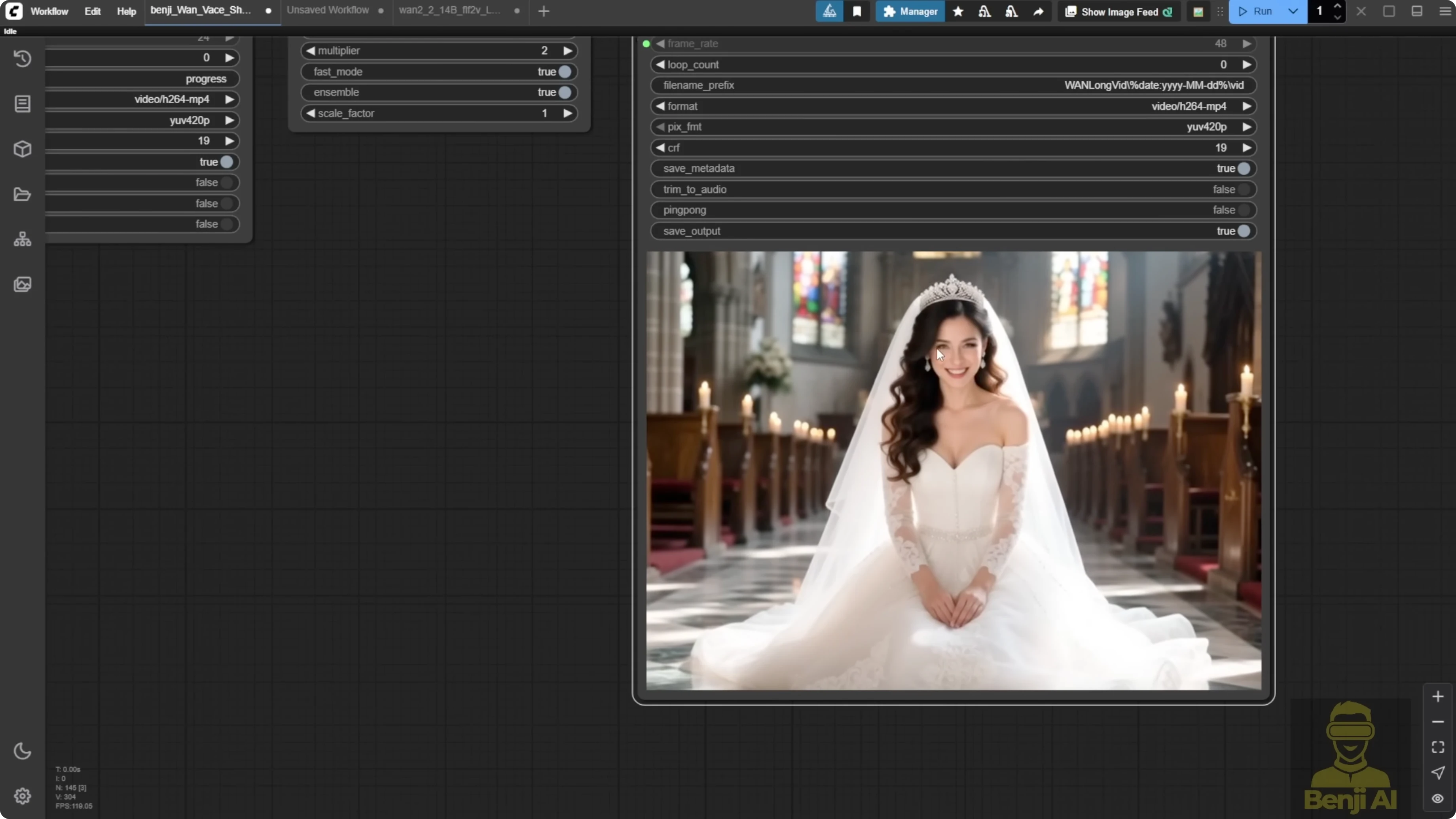
After testing and pushing the limits of WAN 2.2, I figured out what it can and cannot do. The WAN 2.2 first last frame method is just a temporary fix for video extensions. Once the official vase for WAN 2.2 is released, it should give smooth transitions and smooth continuity like what I had with WAN 2.1.
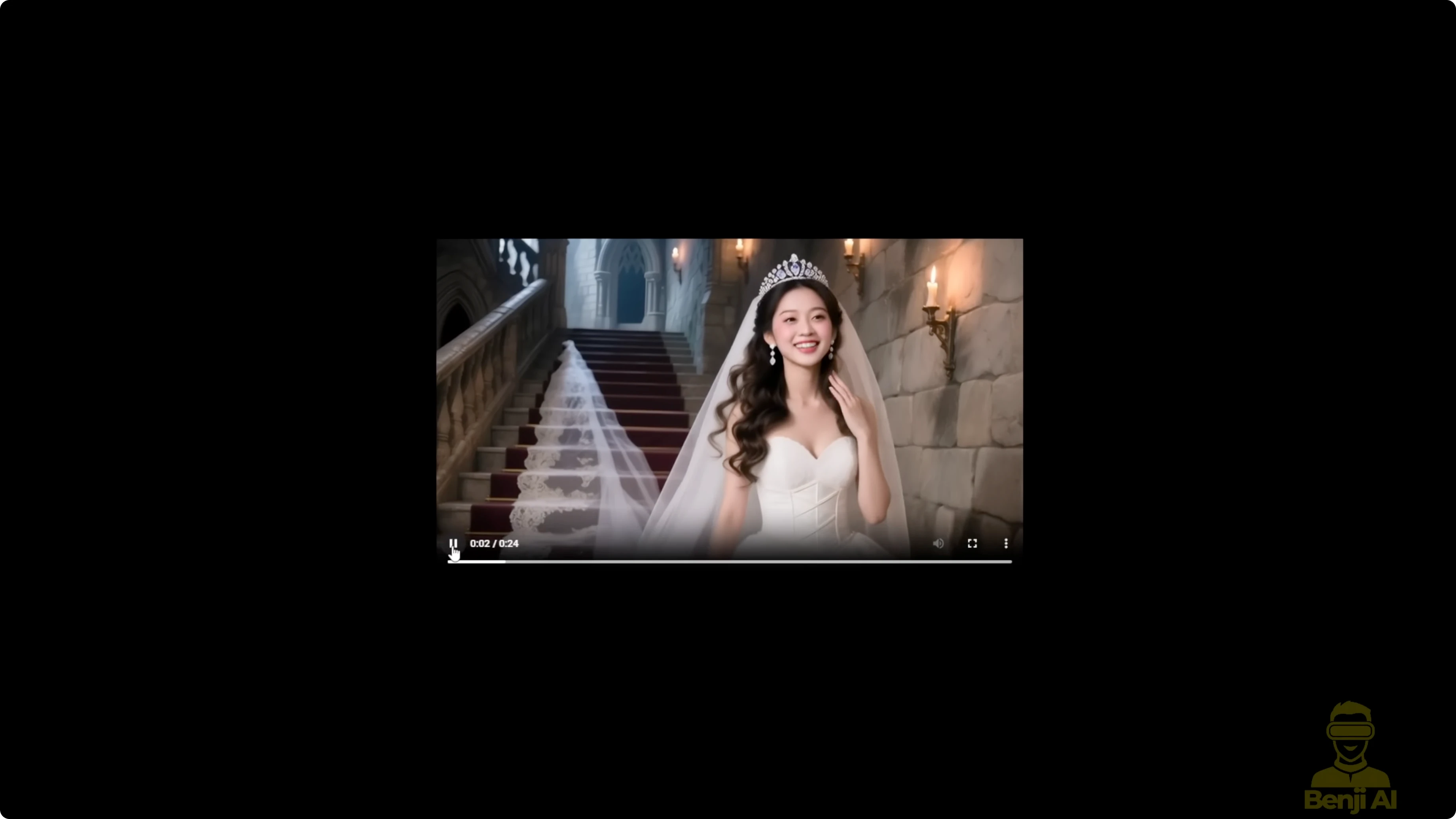
The WAN 2.1 version I did has consistency limitations for the face because of WAN 2.1. But the stitching between each 5-second segment is way better than what we get with WAN 2.2 first last frames. That is because it uses the WAN 2.1 vase with masking and conditioning for control video. Those features really help with long video extensions. From 5 to 6 seconds there is no flickering, no choppiness, no sudden jumps.
In WAN 2.2 examples, some do not work as cleanly. At the 5-second mark there can be choppiness in the frames after I extend the video. At the 10-second mark there can be a little choppiness, too. Some images just do not extend well. Others do pretty well in WAN 2.2.
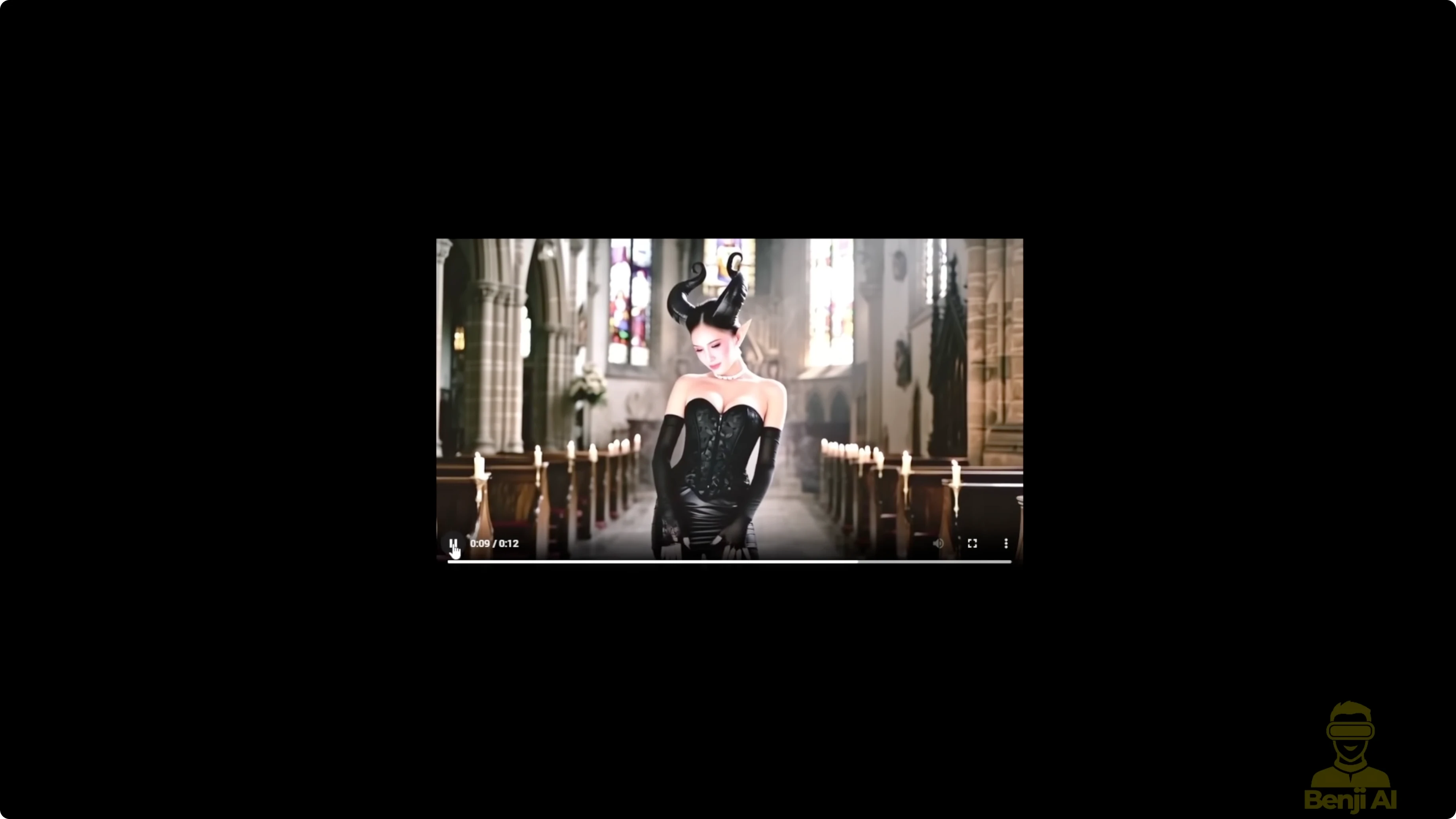
Transformations in 1 2.2 really use the creativity of WAN 2.2. Prompt adherence is a big advantage based on the prompt descriptions I used. WAN 2.2 clearly transformed the character into a demon. But the colors keep shifting. At the 5-second mark, the color looks normal. By the 10-second mark, it starts degrading. The color temperature gets whiter and it does not look natural compared to the beginning.
After a day of testing and seeing these results, I'd say the one video vase in 2.1 gives better results for long length video generation, especially in motion consistency and frame stitching. It is better than what I'm getting with WAN 2.2. In WAN 2.2 there are color shifts and choppiness, some rough stitching. WAN 2.2 cannot create a clean stitch in some parts, especially around the 5-second mark and the 10-second mark. Even though both AI models use travel prompts and can handle multiple prompt lines for looped sampling, WAN 2.1 still produces more natural looking video results in my tests.
Practical recommendation on length
For WAN 2.2's first last frame video method, as long as it stays under 15 seconds, it works. You can use it, but there is a risk. The video might not stitch well, and you will likely see degradation after 15 seconds. I suggest not going over 15 seconds with WAN 2.2's image to video model. That is how it works right now.
Hopefully, the WAN 2.2 vase will be released soon and it should fix the color issues between video extensions and give better stitching, especially with the control video and control mask features from the one video vase. Those are super helpful when creating frame by frame long video extensions. That is how I have been able to generate videos over 30 seconds with no problem using image to video or video to video. That is what the WAN 2.1 vase allowed me to do.
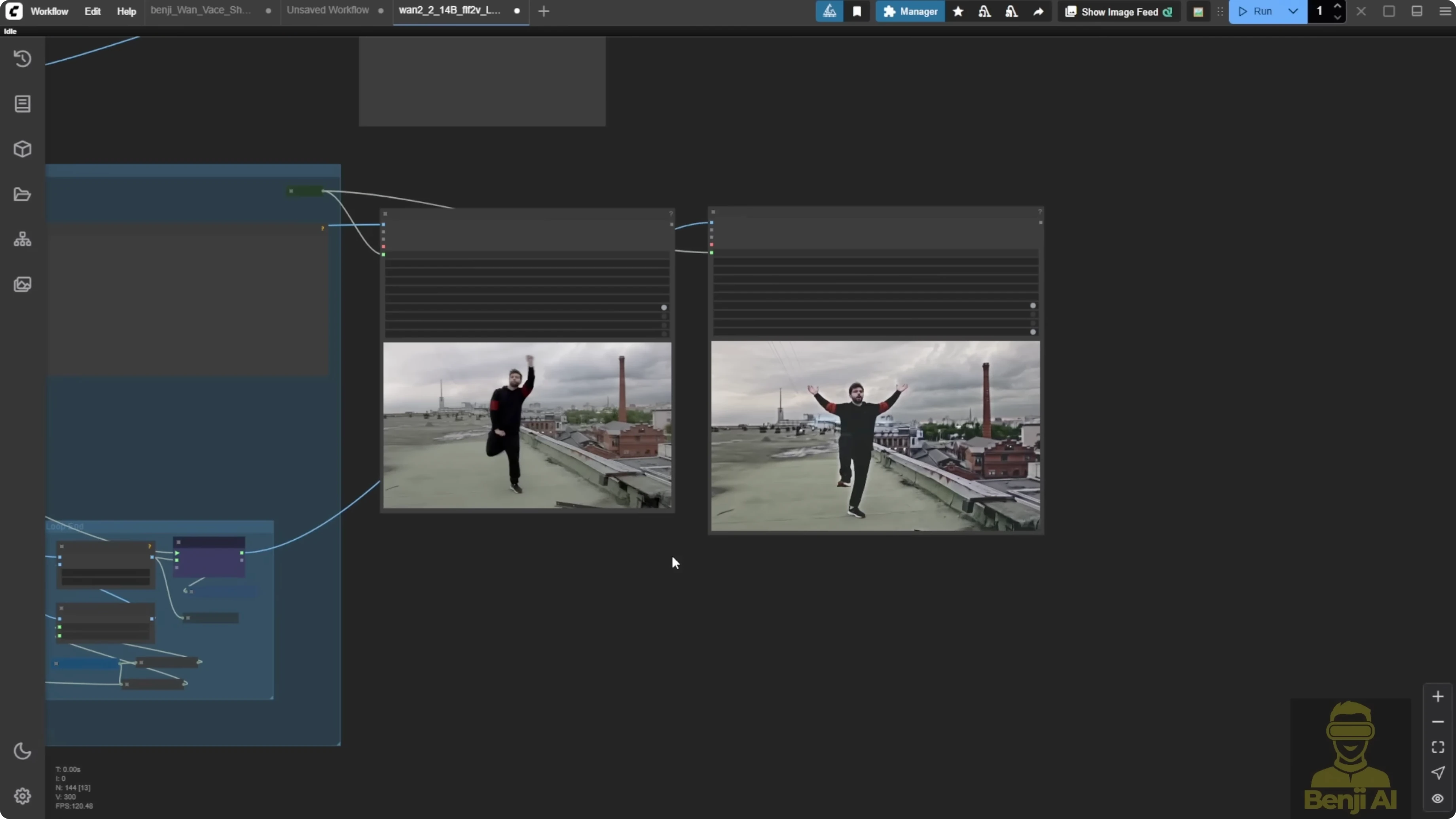
People have been asking if we can run WAN 2.2 for long length video gen or use it with a WAN 2.1 vase. Right now, I'd say just wait for the official WAN 2.2 vase model.
Final Thoughts
WAN 2.2 image to video can take multiple start frames and can run workable extensions, but quality degrades after about 15 seconds. WAN 2.1 with the vase, masking, and control video conditioning still gives better stitching and motion consistency for long videos. Use travel prompts and looping samplers for controlled transitions, keep WAN 2.2 segments under 15 seconds, and watch for color and motion degradation past that point. When the official WAN 2.2 vase arrives, I expect smoother transitions, better color stability, and cleaner stitching for long-length video generation.
Recent Posts
How Wan 2.2 AI Boosts Video with 14B Generation & 5B Upscaling?
How Wan 2.2 AI Boosts Video with 14B Generation & 5B Upscaling?
Exploring Wan 2.2’s Final Frame and Local AI Video Highlights
Exploring Wan 2.2’s Final Frame and Local AI Video Highlights
Wan 2.2 Fun Control vs Wan 2.1 VACE: Which Suits Video Creation?
Wan 2.2 Fun Control vs Wan 2.1 VACE: Which Suits Video Creation?