Unlocking Wan 2.2 Reward LoRAs MPS & HPS V2.1: AI Video Insights
We're going to check out the new WAN 2.2 fun reward LoRA. If you've played around with WAN 2.1 before, you might have noticed that fun reward LoRAs were already implemented there, too. There are two models you can use, HPS and MPS. Right now, there are two reward LoRAs available for video generation in both WAN 2.2 and WAN 2.1.
As I just mentioned, one of the popular ones used in WAN 2.1 was Fusion X. If you scroll the Hugging Face page, you'll see that Fusion X actually merged MPS as one of its components. That helped improve motion, aesthetics, and overall video quality.
What's a reward model? It's basically how we tell the AI what we prefer, our human preferences, so it knows how we want the videos to look when we generate them. HPS has some interesting updates. The current version is 2.1 and that's what's showing on the official GitHub repo. The repo says HPSV2, but the latest update is actually V2.1 trained on a higher quality data set. It's better than the 2.0 version we used in WAN 2.1.
When it comes to comparing HPS and MPS, there's no real which one is better. It's all about your personal preference, which kind of motion you like more in your videos. I've generated some info using Qwen 3 language models to break down the facts and explain how both reward models work.
Both improve motion, something we've definitely needed. If you've generated AI videos before, you've probably seen unnatural movements, like a guy walking, but the camera moving in the wrong direction. With reward LoRA models, we can use human preferences to teach the AI what good or bad motion looks like for specific actions like walking. Both HPS version 2 and MPS can do this. They're also both used as benchmarks for image and video generation quality.
HPS was developed by an independent researcher in the open-source community. MPS on the other hand was created by Quao, the parent company of Cling AI. Both models help with better prompt adherence, motion alignment, and aesthetic improvements in video generation.
In terms of architecture, both use OpenCLIP ViT-14, but HPS uses the H-14 variant, while MPS uses the L-14, fine-tuned differently. One key difference is language support. HPS only supports English prompts while MPS supports multiple languages including Chinese aligned with Asian aesthetics and multilingual inputs.
For video focus, HPS is trained on video frames, but it scores each frame individually. MPS is built end to end for videos. It looks at the entire video as a whole, evaluating temporal consistency and how well the motion flows across the entire sequence. When we apply these reward LoRAs, we're not just improving individual frame quality, we are enhancing the overall motion and flow of the video based on human preferences.
In the Hugging Face repo for the WAN 2.2 fun reward LoRA, if you go to the file versions, you'll see four files: HPS high and low noise and MPS high and low noise. For WAN 2.2, both the high and low noise models need to be injected into the video generation process. You need both files, a pair, for each model to run properly.
Unlocking Wan 2.2 Reward LoRAs MPS & HPS V2.1: AI Video Insights
Step-by-Step - Prepare WAN 2.2 Reward LoRAs
- Identify files: locate the four reward LoRA files - HPS high noise, HPS low noise, MPS high noise, MPS low noise.
- Get the pairs you want: obtain both the high and low noise files for the model you plan to run.
- Inject both files: load both the high and the low noise files into your video generation process so the model runs properly.
- Plan combinations: decide if you want to run matched pairs or mix models across high and low noise.
Step-by-Step - Build and Run the ComfyUI Text-to-Video Test Bed
- Build a simple text to video workflow in ComfyUI.
- Duplicate the workflow into three rows with different settings.
- Connect the same prompt to the text encoder for all three rows.
- Configure row 1: use the light X2V LoRA only.
- Configure row 2: use light X2V with the MPS reward LoRA - load both high and low noise.
- Configure row 3: use HPS version 2.1 - load both high and low noise.
- Label outputs: mark each video in the output so you can identify which is MPS and which is HPS.
- Keep shared settings: set 480p resolution, 81 frames, the same seed, the same sampling steps, and the same flow value across all rows.
- Adjust motion: set the shift number to 10 to allow more movement - typical values are 8, or 5 if you want more static motion.
- Keep loaders simple: keep the model loader groups basic.
- Sample consistently: use the standard K sampler advanced with 50 and 50 sampling steps for both high and low noise.
- Generate outputs: render all three rows with the same prompt and seed.
Step-by-Step - Mix High and Low Noise Across Models
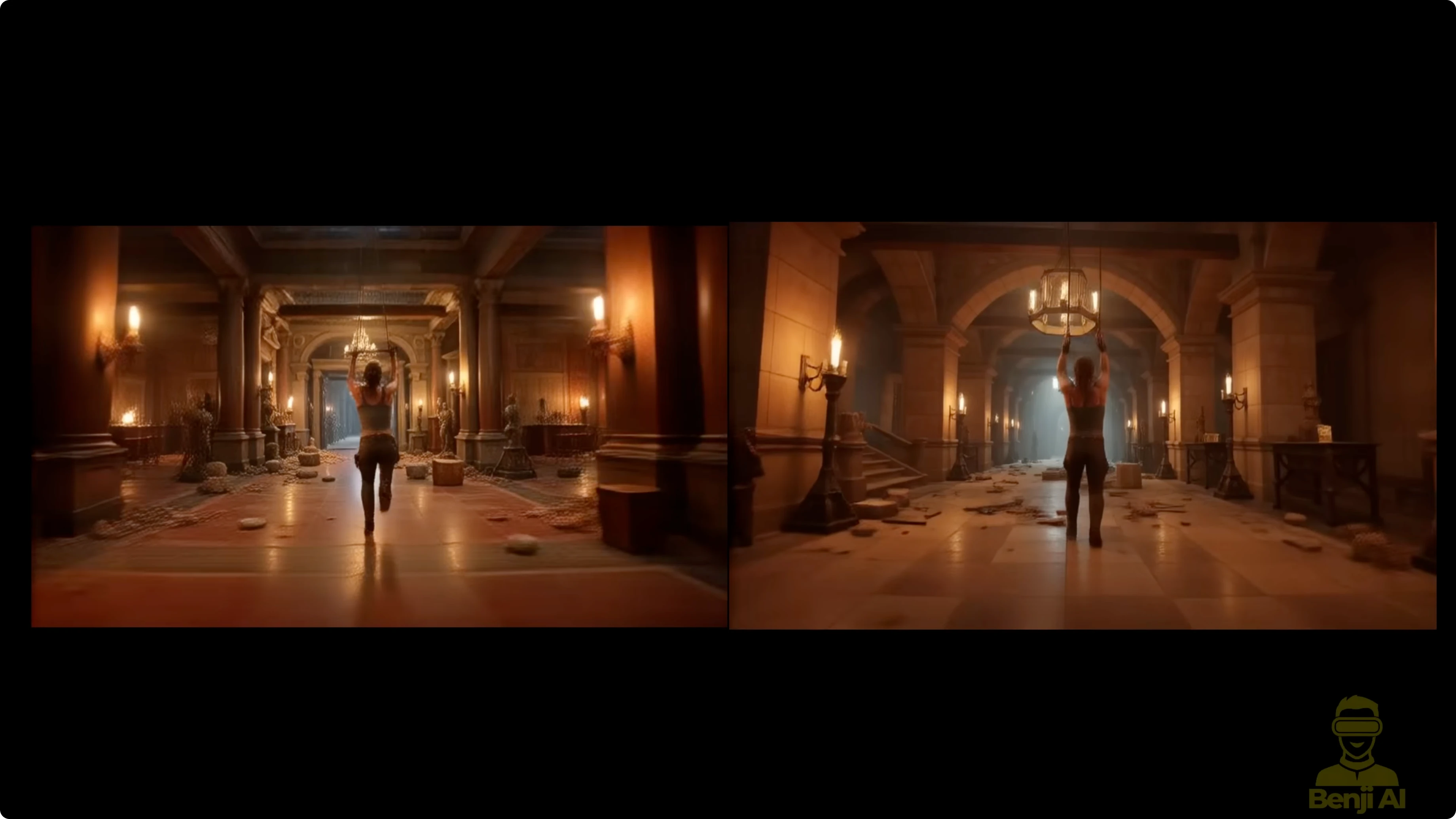
- Mix option A: set MPS for high noise and HPS for low noise, then generate and review the motion style.
- Mix option B: set HPS for high noise and MPS for low noise, then generate and compare.
- Observe differences: look for how each model influences motion continuity, color, and camera feel when placed in high vs low noise.
- Iterate: try different shift numbers to let the reward LoRAs produce more varied results.
ComfyUI Setup I Used
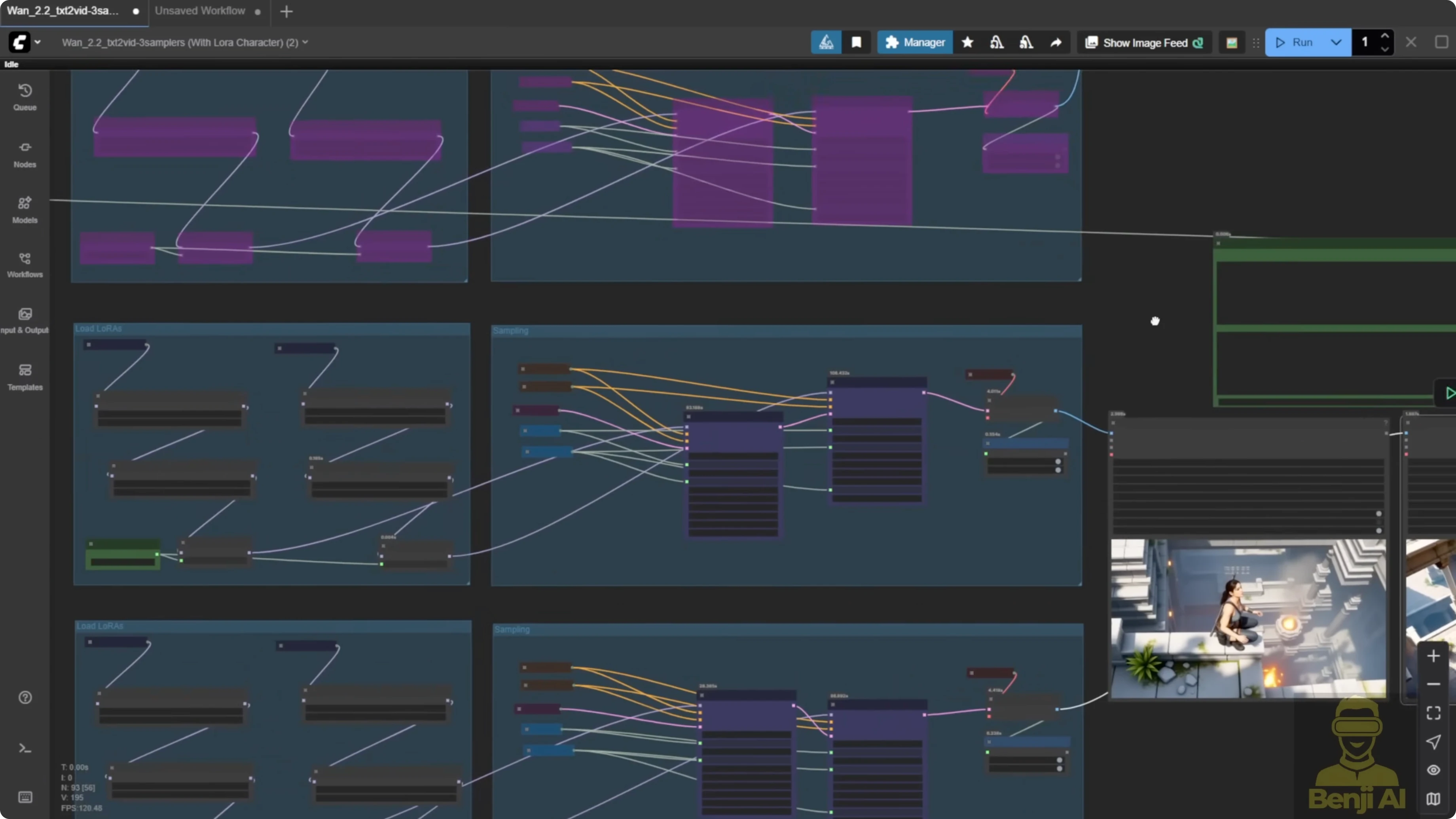
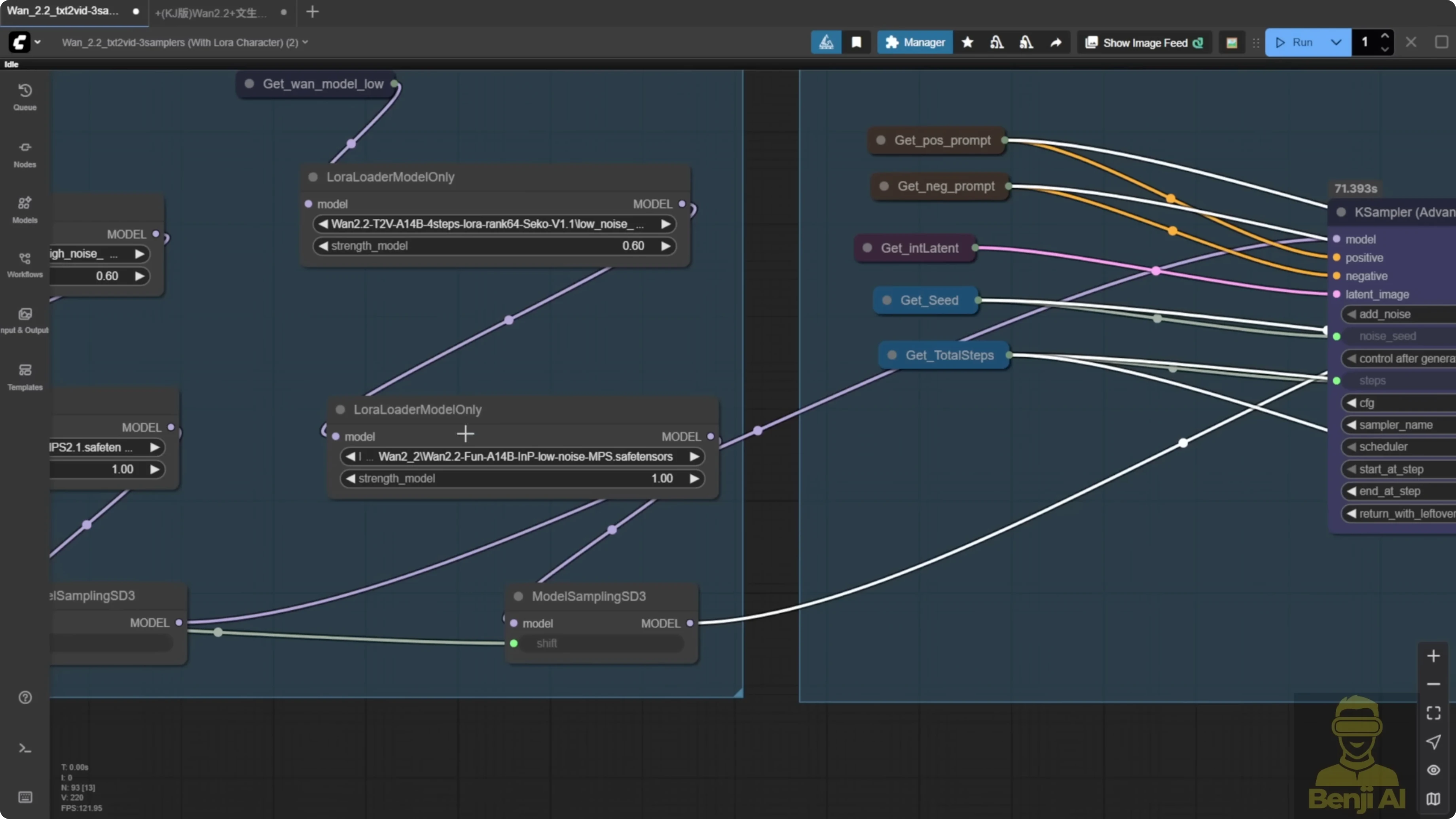
In ComfyUI, I've built a simple text to video workflow, but I've duplicated it into three rows with different settings. All three use the same prompt connected to the text encoder. In the first row, I'm only using the light X2V LoRA. In the second row, I've added light X2V with the MPS reward LoRA, both high and low noise. In the last row, I'm using HPS version 2.1.
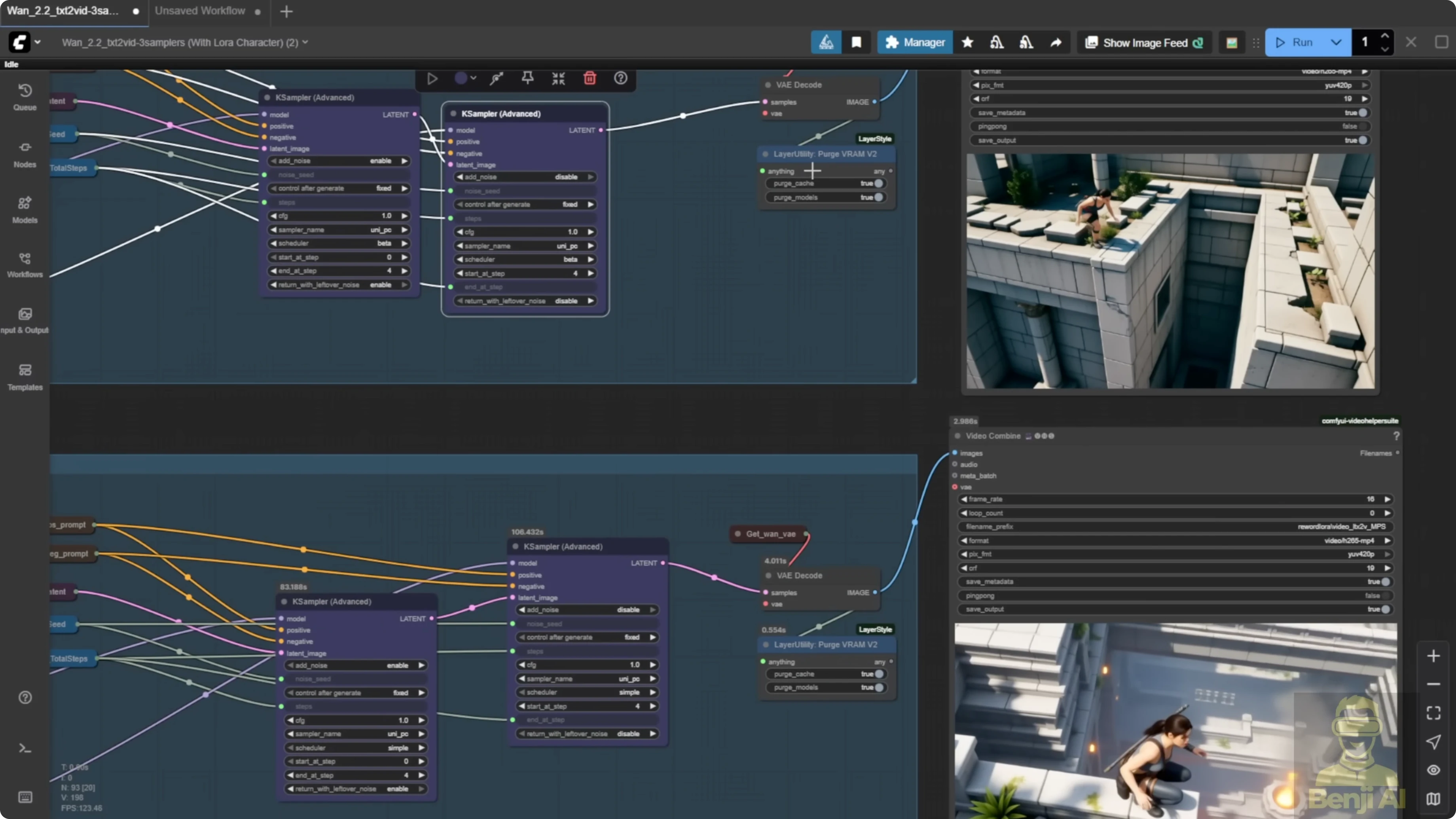
With WAN 2.2, you can mix and match different high and low noise models. That was not possible in 2.1, where you could only pick one reward model per generation. There are way more combinations.
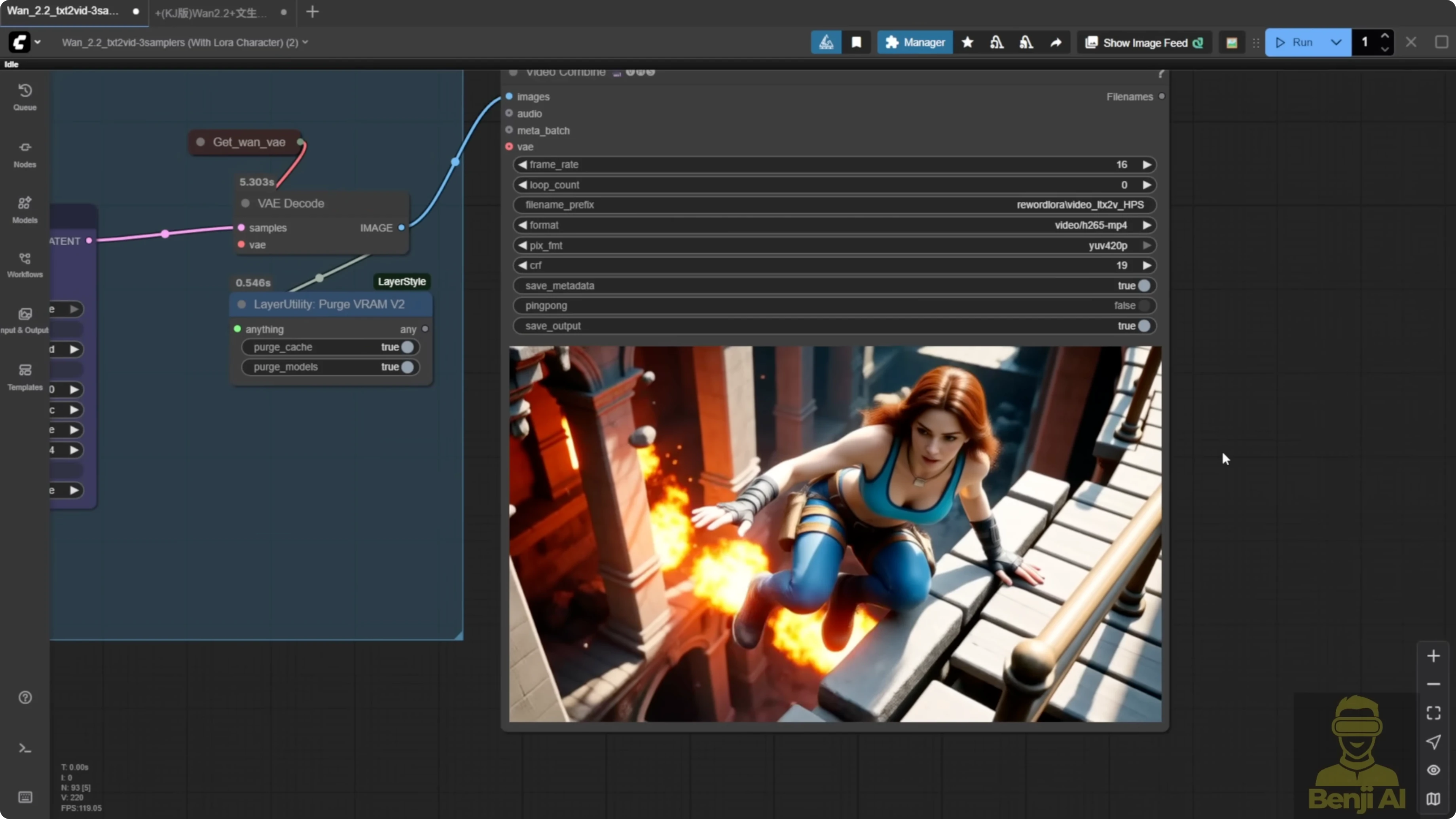
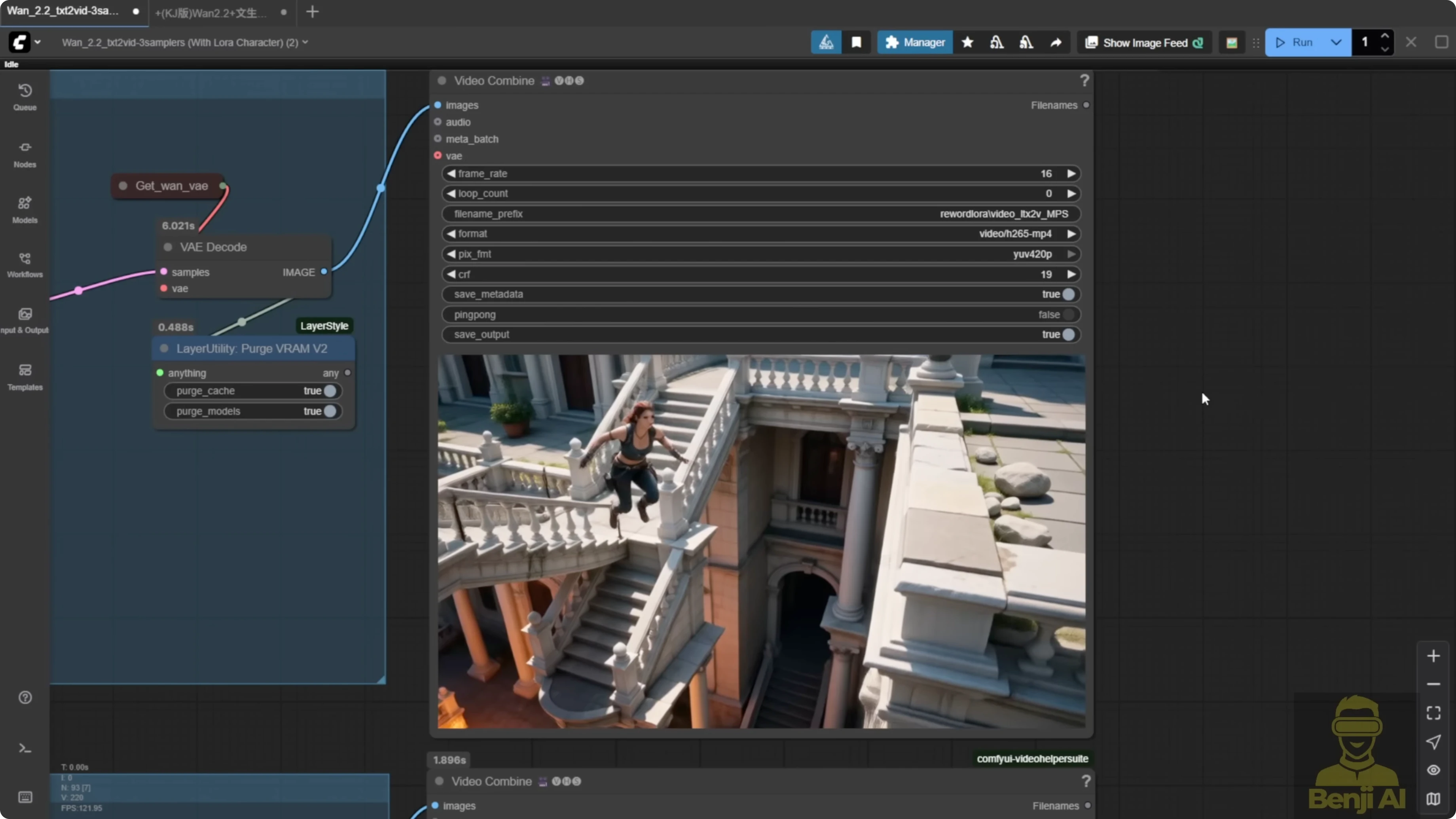
To make it easier to identify, I've labeled each video in the output. One says MPS, one says HPS. All three use the same prompt. I used the Mariah LoRA and tried to set up a jumping motion for the character.
With the same prompt and seed number, you can already see two different motion styles. From my experience, MPS tends to create faster, more sudden motions, while HPS gives a more cinematic stunt-like feel with enhanced camera angles, too.
When I also enable the top row, the one with only light X2V LoRA, you see the difference even more. I enabled this group of custom nodes, used only light X2V LoRA to speed up the sampling process, and brought it back to the 3 video player.
All settings are the same - 480p resolution, 81 frames long, same seed, same sampling steps, same flow value, everything shared across all three. The only thing I changed was the LoRA settings. I also set the shift number higher than usual. Normally, it's eight or sometimes five if you want more static motion, but here I set it to 10 to allow more movement. I kept the model loader groups pretty basic. For sampling, I used the standard K sampler advanced with 50 and 50 sampling steps for both high and low noise.
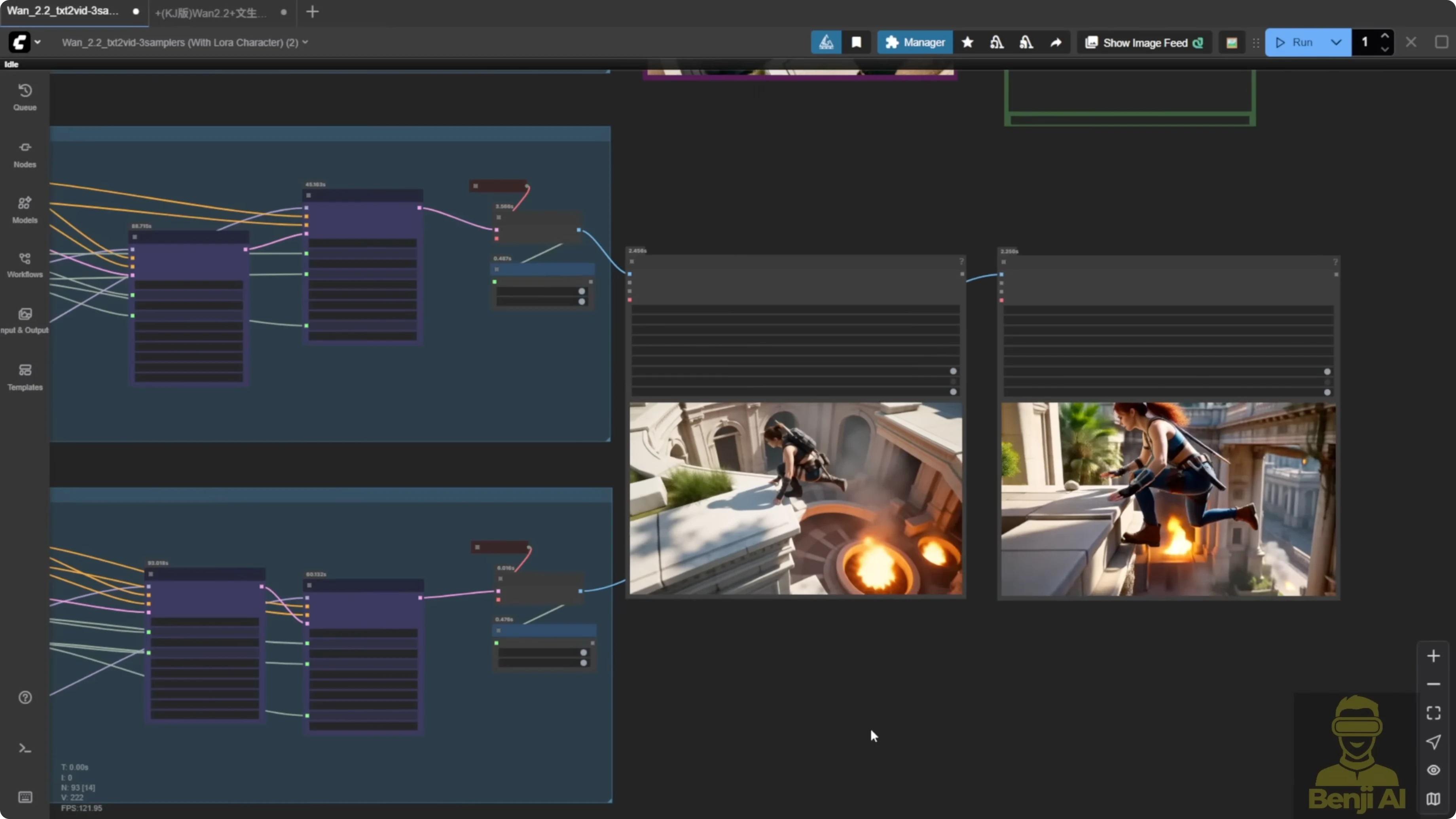
Side-by-Side Motion Results
Light X2V Only vs MPS vs HPS
- Light X2V only: the motion is kind of odd. The character jumps off the wall, then just hops to another corner without proper movement. Knees down, awkward landing. It's very unnatural, especially for a stunt action.
- MPS: after the jump, the character takes a step. There is more continuity. You can tell it's planning its next move.
- HPS: around the 5 second mark, you see a more cinematic stunt. One hand over, climbing to the other side of the wall. It feels more like a real action sequence. The camera motion feels more enhanced with HPS.
Mixing High and Low Noise Pays Off
The LoRA loader is flexible. You do not have to use the same model for high and low noise. For example, you can use MPS for high noise and HPS for low noise. That gives a whole different motion style - not exactly like either, but a mix.
Another example I generated:
- First row, only light X2V - very basic text to video.
- Second row, MPS for both high and low noise.
- Third row, HPS for both.
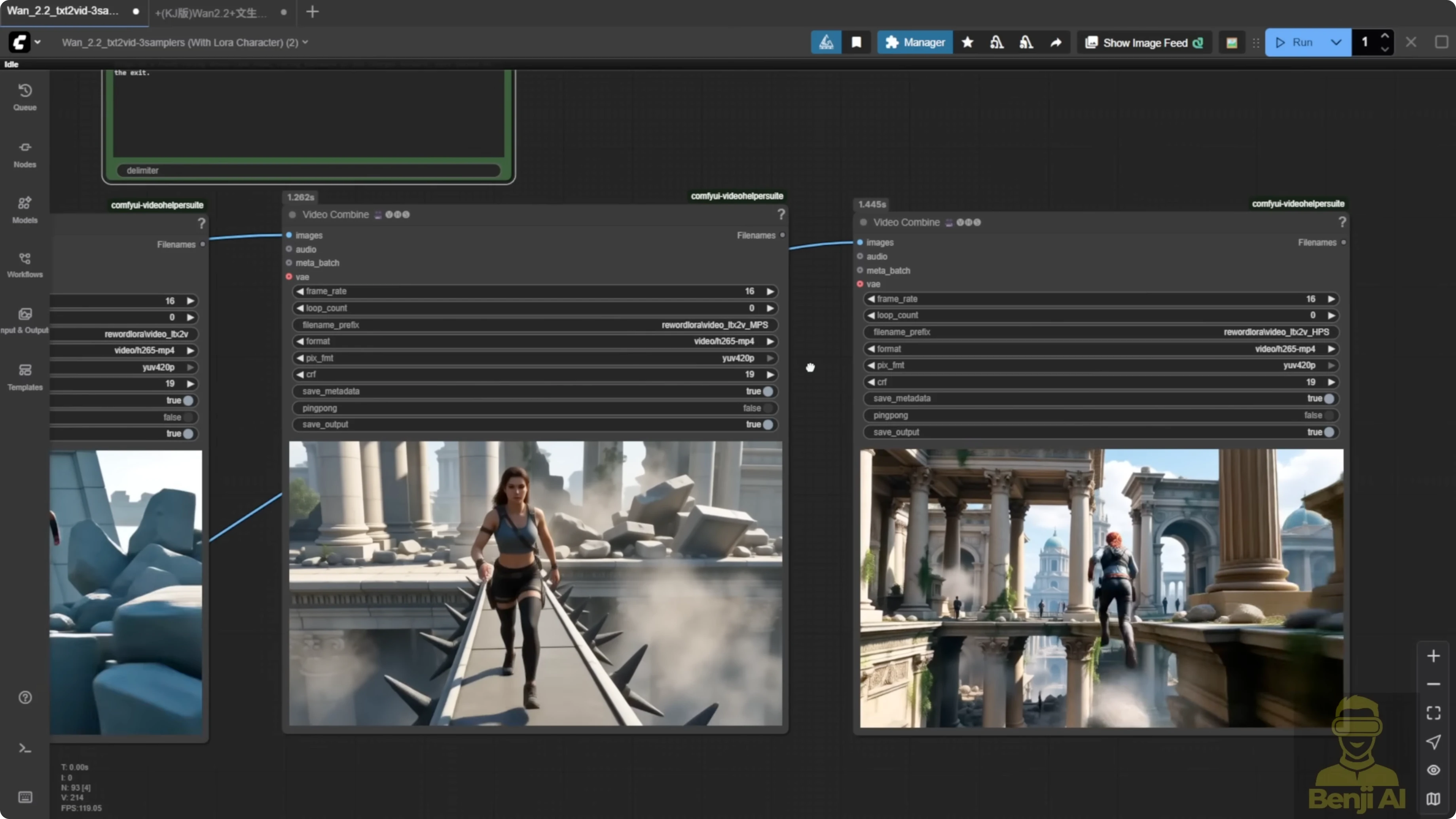
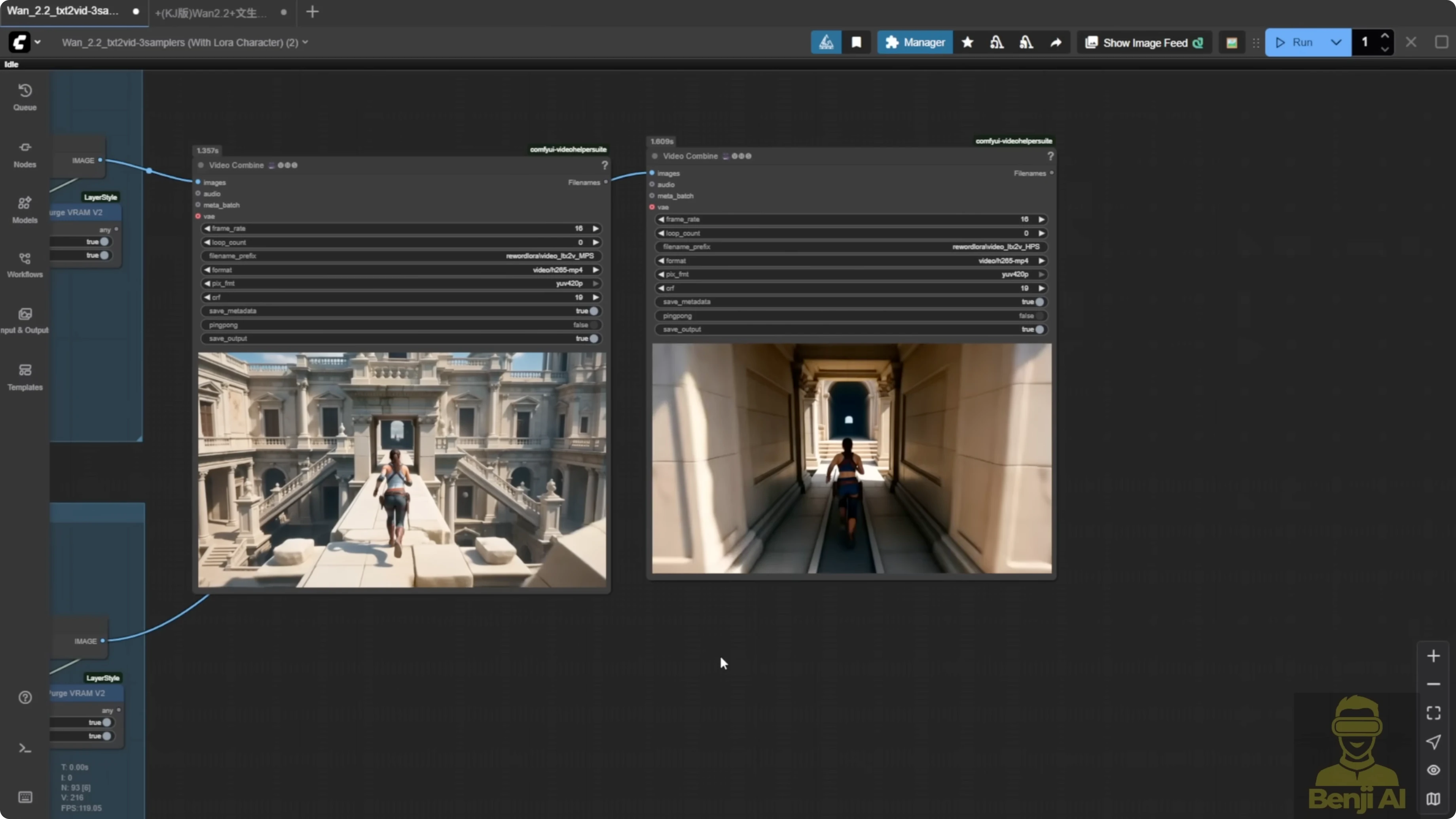
HPS gives more camera movement and feels more dynamic, even if it's a bit unrealistic, like stepping on a rock and jumping over to a bridge then running back. All three use the same prompt and settings. MPS in this side by side is clearly better than light X2V alone. In this case, I prefer MPS. The HPS version feels a bit too exaggerated. MPS here is more natural - walking, stepping onto the bridge slowly, being cautious. The light X2V version is kind of static, kind of boring, just running in one direction, no face visible, camera just following the object.
Swapping High and Low Noise Between Models
You can mix and match. Use MPS for high noise and HPS for low noise. Then try the opposite - HPS for high noise, MPS for low noise. The result is different from what you saw with matched pairs.
All three videos follow the same direction. The character runs around the temple as per the prompt.
- Light X2V: very normal.
- MPS high noise plus HPS low noise: already better than light X2V. More details like broken bridges and temple elements added to the scene.
- HPS high noise plus MPS low noise: the motion style is similar, but when you switch high and low noise, you can see how each model influences the output.
When MPS is used in low noise, the coloration feels richer than when it's in high noise. In this case, I prefer mixing them - HPS for high noise and MPS for low noise. The colors pop more and the overall temple scene looks better than the second one.
More Tests - Same Prompt, Different Seed
Light X2V only shows the basic jumping motion. MPS high noise plus HPS low noise mixes the two reward LoRAs again. HPS high noise plus MPS low noise also holds up.
You can see the character's look and motion are consistent. Same sampling steps. When MPS is in low noise, the quality feels better. The character looks nicer. The jump and climb motion is smoother. Arms stretch out more. It feels more enhanced compared to when MPS is in high noise and HPS in low.
Safe Pairs vs Mixed Pairs
Another example with the same jumping motion stunt style:
- MPS for both high and low noise - the safe paired approach.
- HPS for both high and low noise - also the safe paired approach.
Overall, I prefer HPS after all this testing. MPS is great for certain motions. With WAN 2.2, the ability to mix high and low noise models opens up many more combinations. It is totally different from 2.1 where you could only pick one reward model. Try different combos and different shift numbers. That lets the reward LoRAs give you more varied results.
Final Thoughts
- HPS V2.1 and MPS both improve motion, prompt adherence, and aesthetics, but they favor different motion styles.
- HPS focuses on frame-level scoring and brings a cinematic, stunt-like feel and camera motion.
- MPS evaluates the whole video and often delivers faster, more sudden motion with strong continuity.
- In WAN 2.2 you must inject both high and low noise files, and you can mix HPS and MPS across noise levels.
- Mixing HPS high noise with MPS low noise often boosts color and overall feel in my tests, while MPS in low noise can improve richness and smoothness.
- The safe route is using the same model for both noise levels, but mixing produces more variety and, in many cases, better results.
Recent Posts
How Wan 2.2 AI Boosts Video with 14B Generation & 5B Upscaling?
How Wan 2.2 AI Boosts Video with 14B Generation & 5B Upscaling?
Can Wan 2.2 Img2Vid Handle Long-Length Video Testing?
Can Wan 2.2 Img2Vid Handle Long-Length Video Testing?
Exploring Wan 2.2’s Final Frame and Local AI Video Highlights
Exploring Wan 2.2’s Final Frame and Local AI Video Highlights