Discover How Wan 2.2 Lightning and Fine-Tune Models Solve Old Issues
I tested the latest WAN 2.2 Lightning models for AI video generation in ComfyUI and saw improvements in both generation speed and video quality, especially object movement. The update includes the WAN 2.2 Lightning four-step LoRA version 2550928 and a dedicated high-noise model that merges the Light X2V models into a single diffusion model for high noise. That high-noise model is designed to improve motion at low sampling steps, which was a weak spot in earlier 1.1 and 1.0 Lightning LoRA versions. With this update, movement and speed are both better.
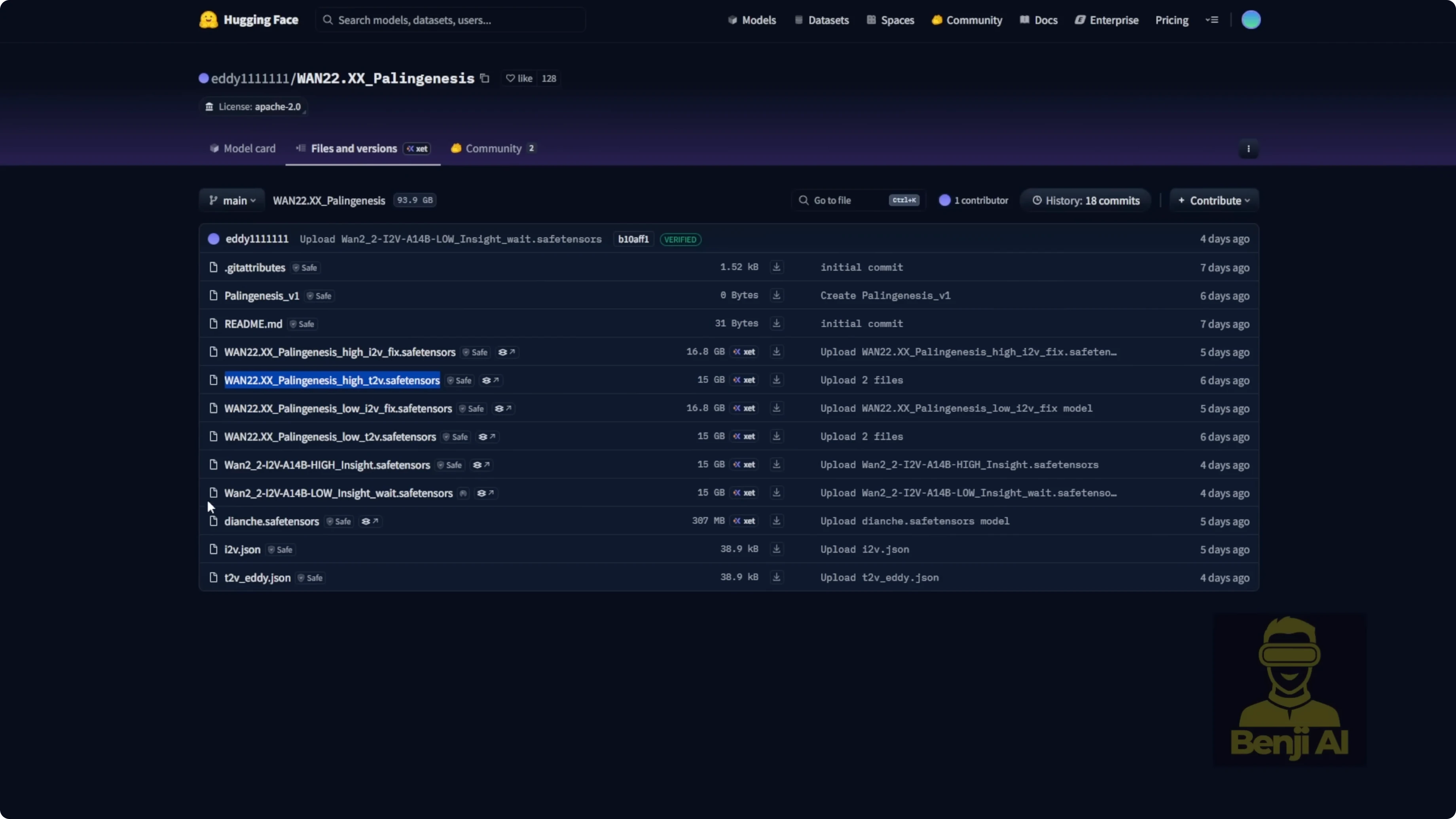
There’s also a fine-tuned model from Eddie11 called WAN 2.2xx Palenis. It includes image-to-video for both high and low noise, plus text-to-video. A few days ago, an Insight update landed with a slight enhancement based on those models. Text-to-video is where WAN 2.2 shines, and with this fine-tuned model, prompt adherence, motion, camera work, and overall performance improve even more.
Discover How Wan 2.2 Lightning and Fine-Tune Models Solve Old Issues
What changed in WAN 2.2 Lightning
- New four-step LoRA version 2550928.
- A dedicated high-noise model that merges Light X2V for high-noise diffusion.
- Motion is stronger at low steps and generation is faster than older Lightning versions.
The high-noise integrated model helps avoid the old lack-of-motion issue at low sampling steps and reduces time spent per pass compared to the Light X2V 2.1 path. The file is about 28 GB, so plan for storage. If you prefer not to download that, use the latest four-step LoRA with separate high-noise and low-noise models. Just note the high-noise LoRA alone doesn’t show a clear speed-up.
Setup and file placement in ComfyUI
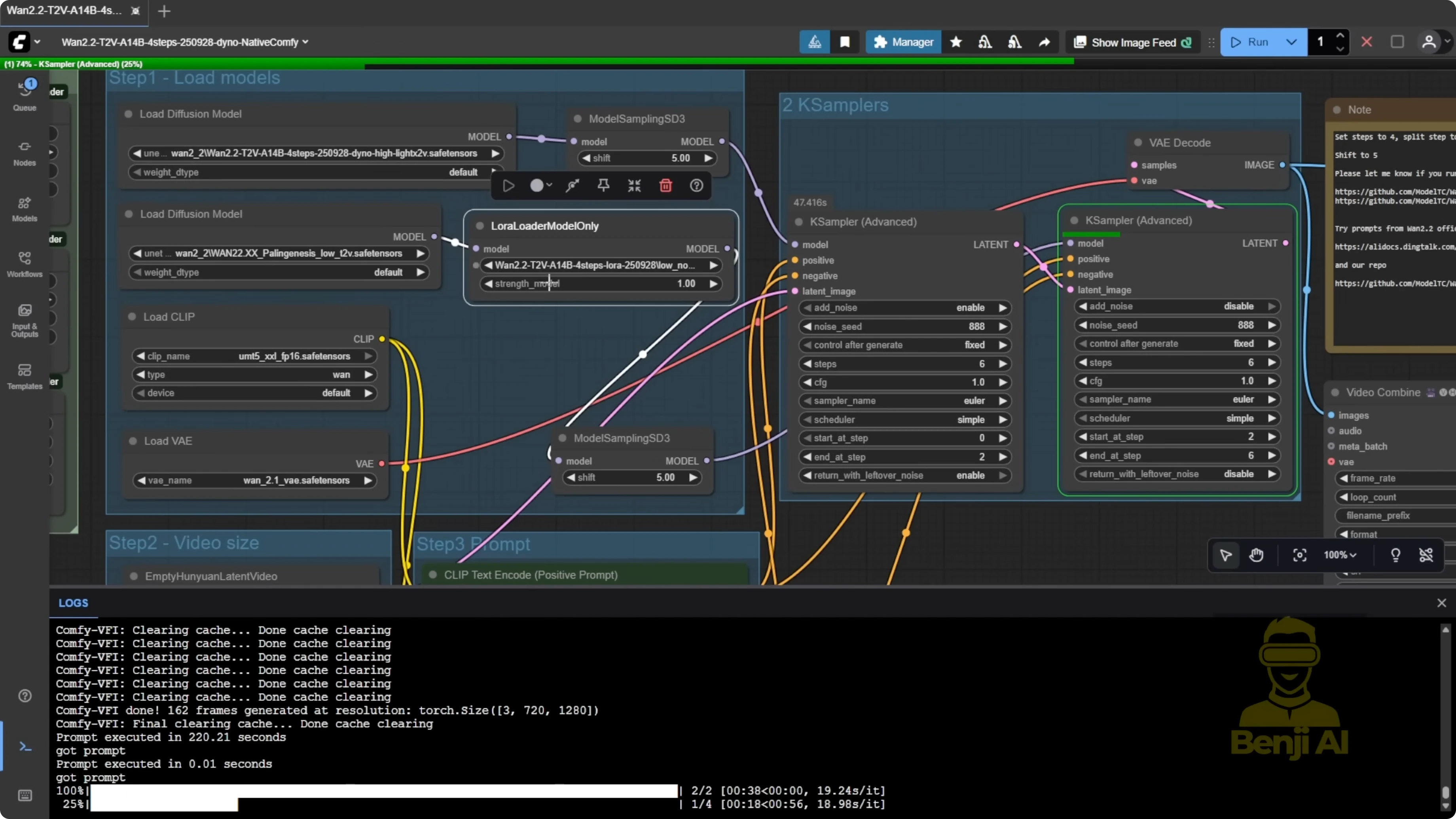
I compared two methods: the integrated high-noise diffusion model vs separate LoRA high and low noise.

Folder organization I used:
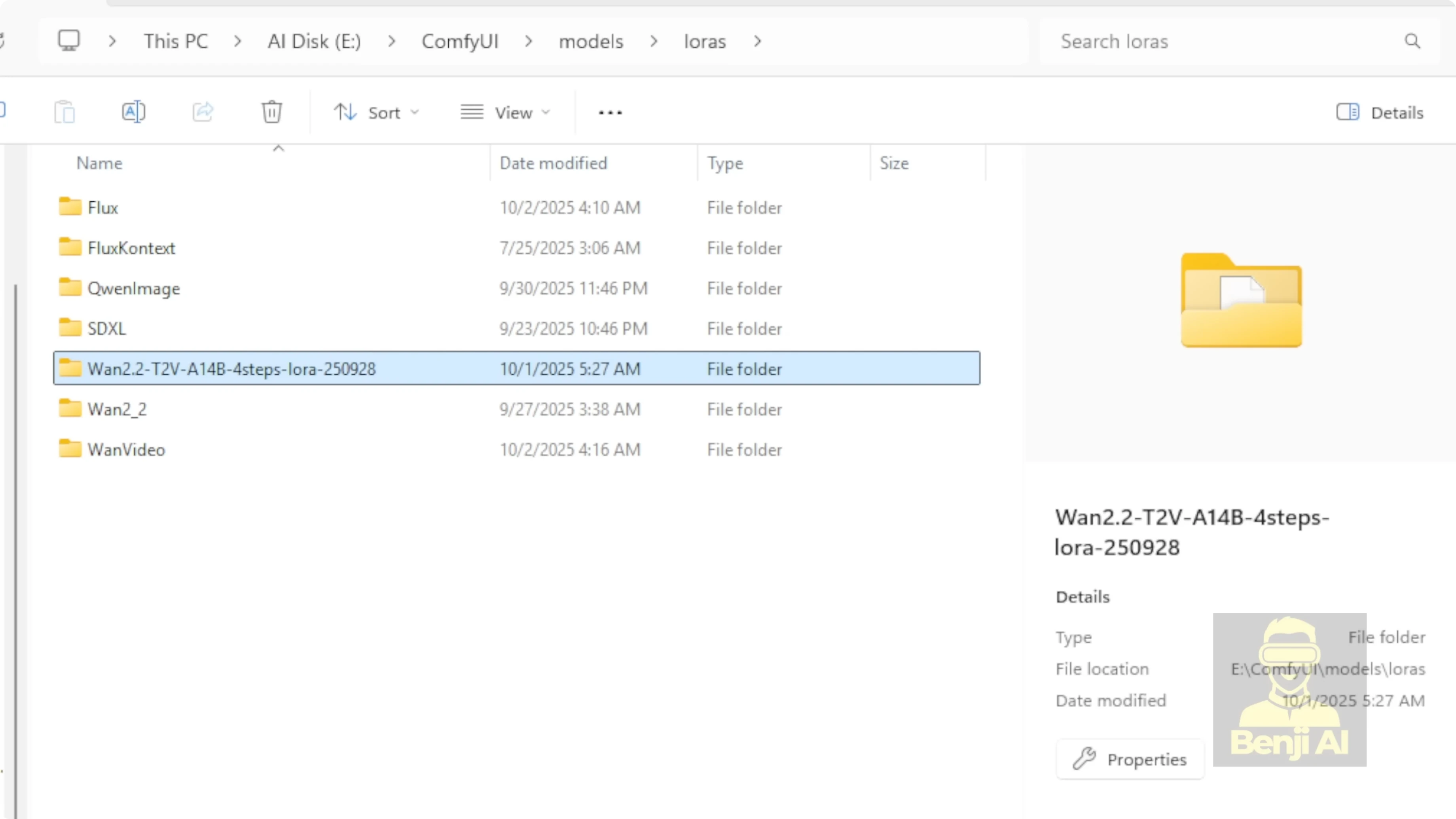
- Diffusion models: a WAN 2.2 subfolder in ComfyUI’s models/diffusion directory. I put the integrated high-noise Light X2V WAN 2.2 Lightning model here.
- LoRA models: a WAN 2.2 subfolder inside models/lora for the Lightning LoRA high and low-noise variants.
- Fine-tuned Palenis model: in models/diffusion under the WAN 2.2 subfolder, with both high and low-noise variants where applicable.
Step-by-step:
- Create a models/diffusion/WAN-2.2 folder and place the integrated high-noise Light X2V WAN 2.2 Lightning model there.
- Create a models/lora/WAN-2.2-Lightning folder and place the latest four-step Lightning LoRA, both high and low noise.
- Add the fine-tuned WAN 2.2xx Palenis diffusion models to models/diffusion/WAN-2.2.
Fine-tuned WAN 2.2xx Palenis and the Insight update
- Palenis is a fine-tuned WAN 2.2 model for image-to-video and text-to-video in both high and low noise.
- The Insight update is a slight enhancement on top.
- Text-to-video with Palenis gives better video quality, stronger prompt adherence, improved motion, and more stable camera work.
Workflow and sampler choices at 720p
I run at 720p for all timings and settings below.
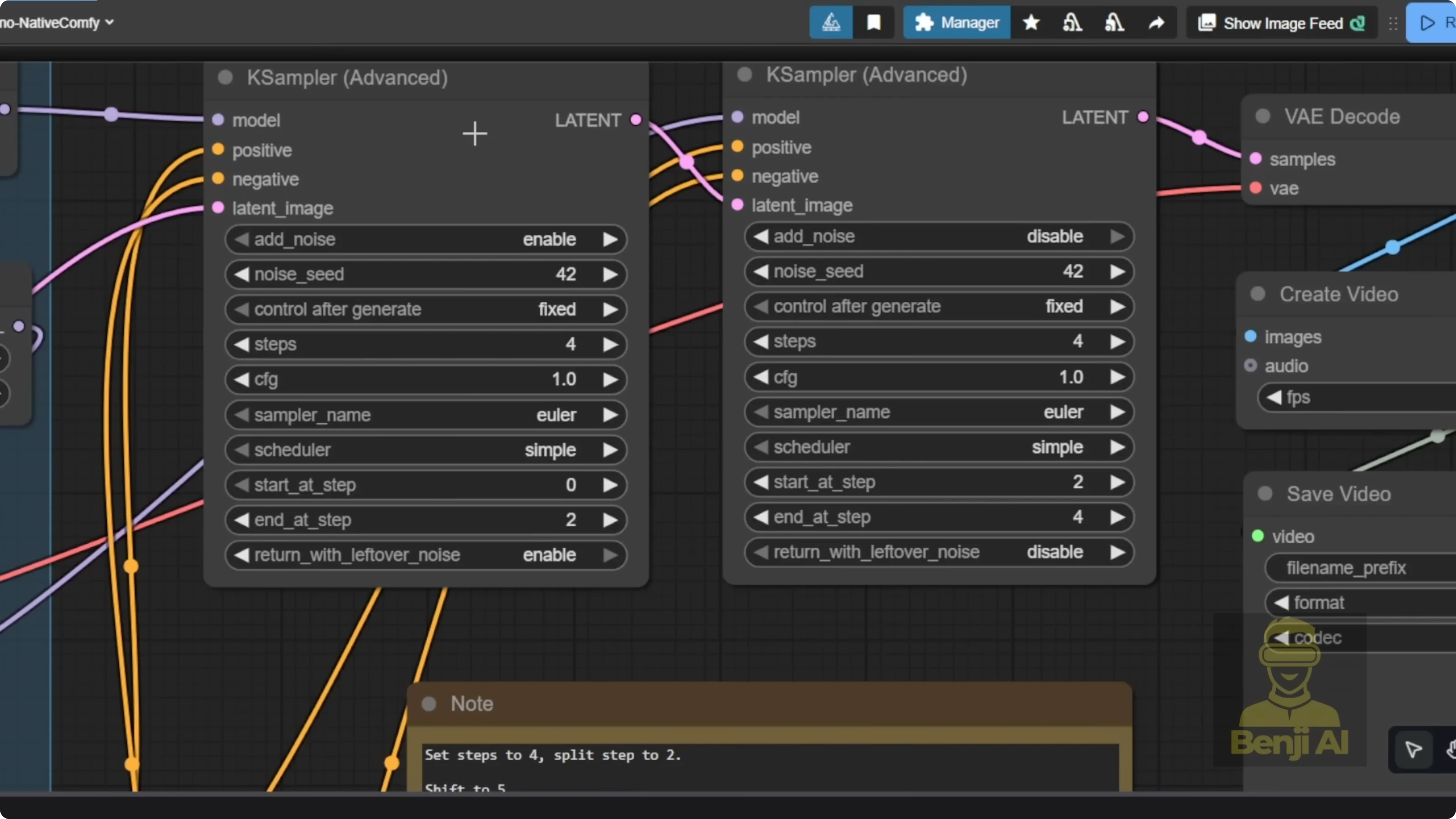
Two-step K Sampler works with the new high-noise model
The integrated WAN 2.2 Lightning high-noise diffusion model does not run properly with the older three-step 3K sampler path I used before. Use a standard two-step K Sampler workflow instead. Previously, I used a 3K sampler because the first K Sampler wasn’t using any LoRA, letting the base model handle the noise for better motion. With the new high-noise diffusion model, that workaround is no longer needed.
Recommended pairing:
- High noise: WAN 2.2 Lightning high-noise Light X2V diffusion model.
- Low noise: the Palenis low-noise text-to-video model and the latest WAN 2.2 Lightning low-noise LoRA.
Performance numbers and quality
Hardware: Nvidia RTX 6000 Ada (Pro 6000).
- Two steps only:
- High-noise pass: 38 seconds.
- Low-noise pass: 41 seconds.
- Motion and camera movement match what I used to get with the older three-step 3K sampler method, but faster.
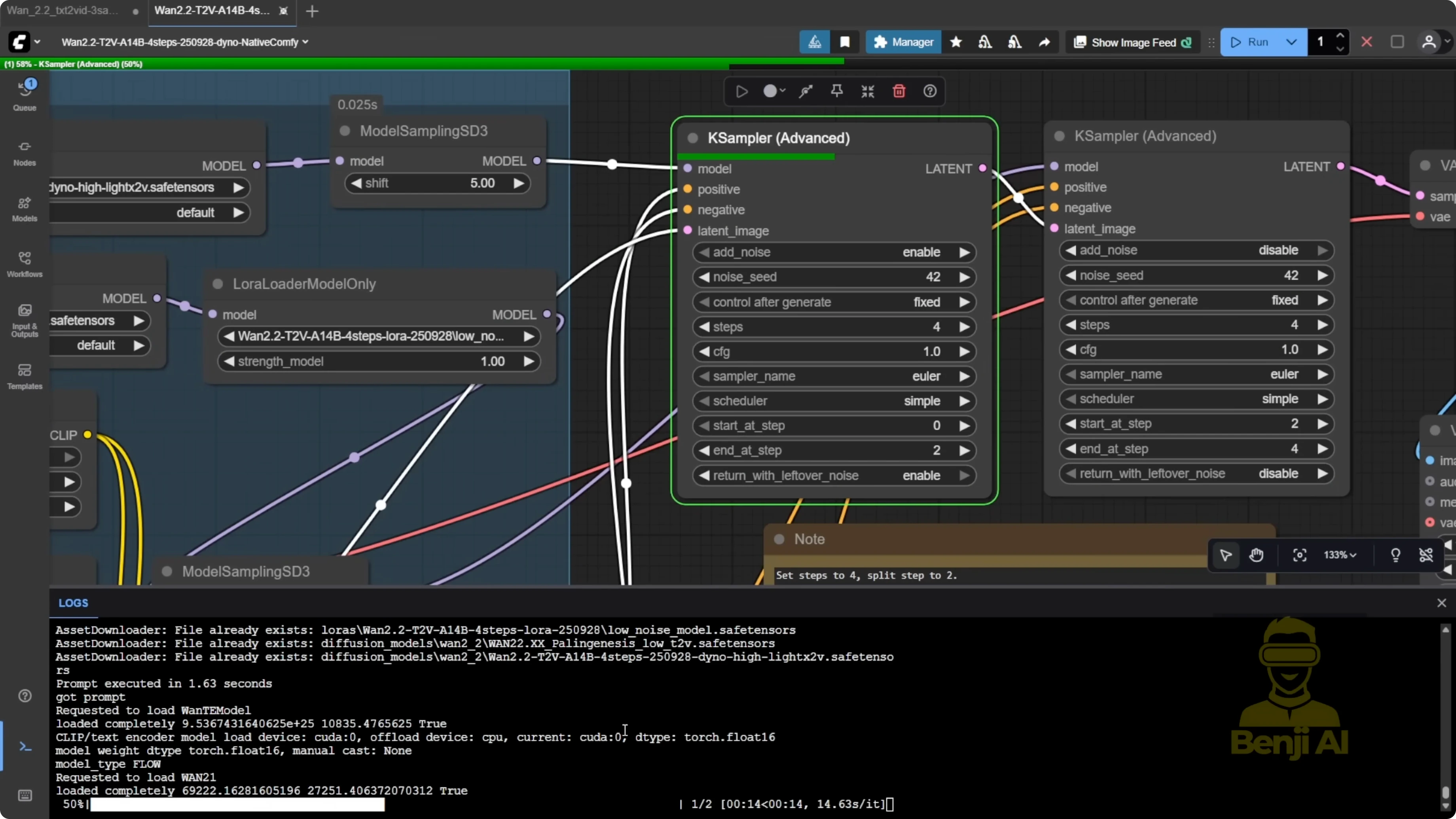
In a separate run, the high-noise pass took 37 seconds and the total high + low four-step pass took 1 minute 32 seconds at 720p. These times are consistently faster than the older Light X2V and earlier WAN 2.2 Lightning LoRA paths, and the video quality is better when combining Palenis with the latest WAN 2.2 Lightning LoRA.
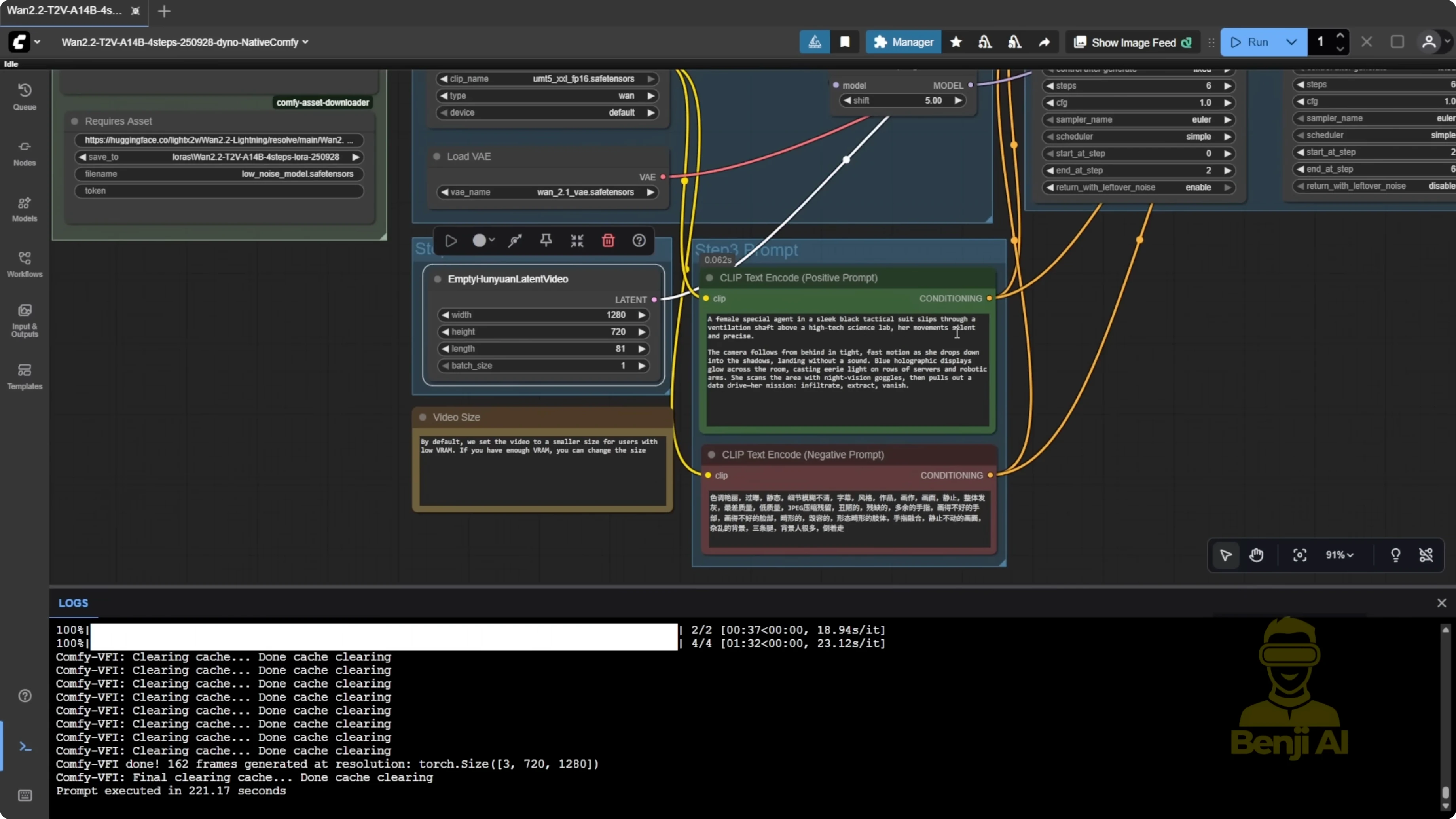
Tuning seeds and steps to fix artifacts
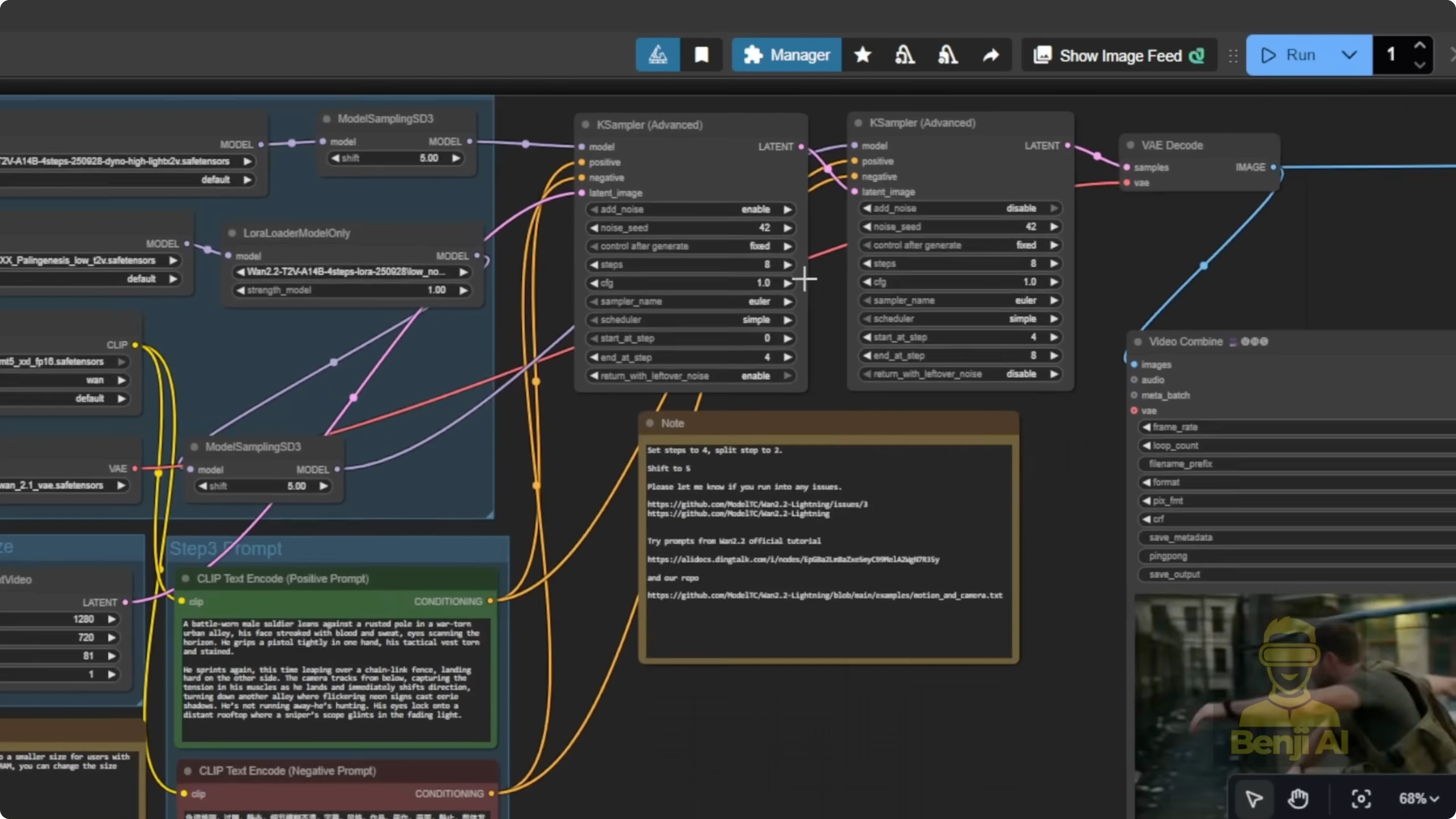
I saw extra hands while the character was running at low steps. Switching to a different seed and increasing to 8 total steps fixed it:
- Four steps on high noise, four on low noise.
- The 8-step version removed the extra arms that appeared in the 4-step run.
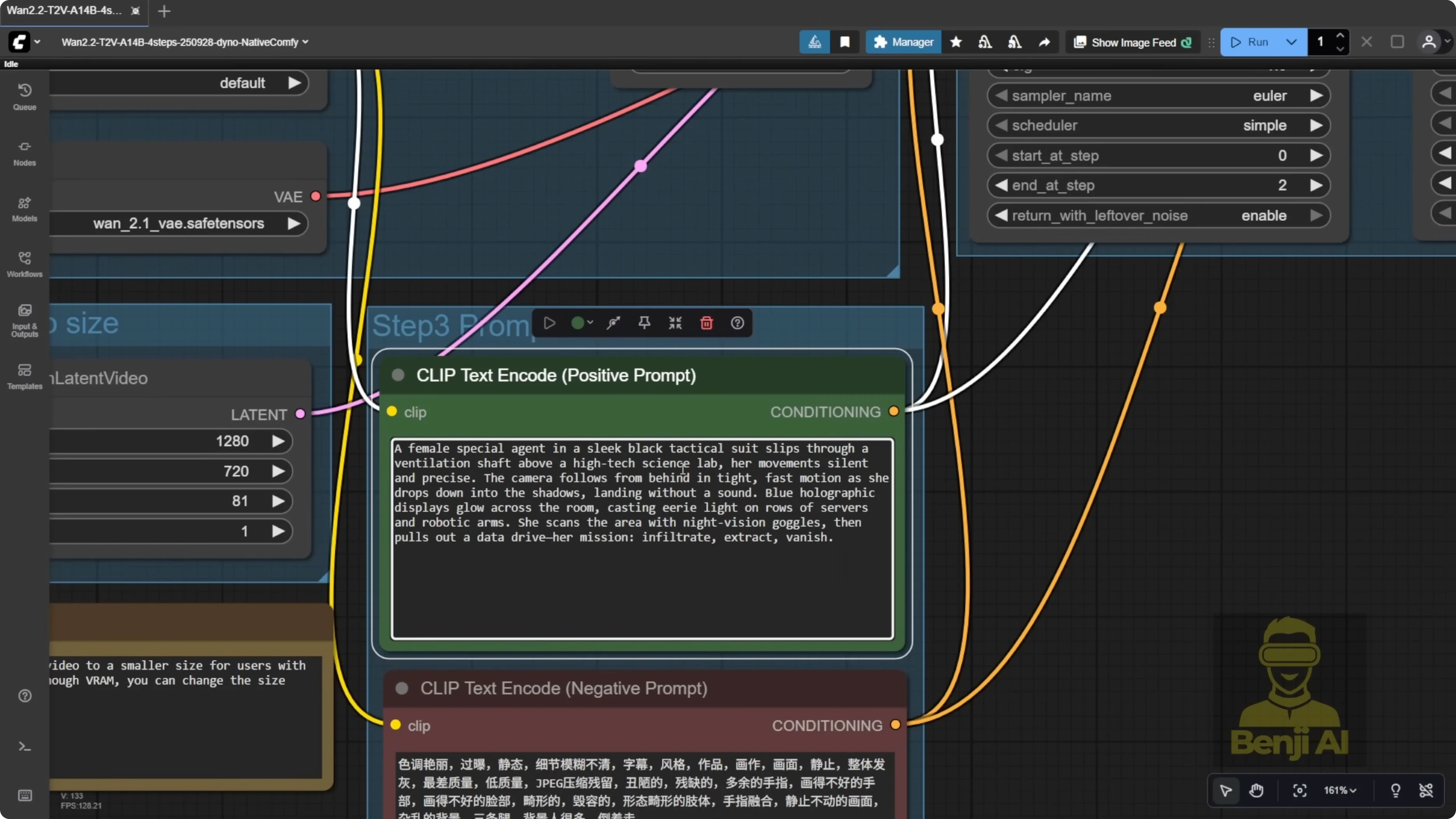
I also tried varied prompts, like a female special agent sneaking into a science lab. Action, movement, and camera focus followed the character well, and the generation times stayed quick at 720p.
For one rooftop clip, the character morphed up from a hole instead of climbing. Regenerating with a different seed produced a clean climb. Sometimes switching seeds is all it takes to resolve odd morphs.
Expanding with HPS Reward LoRA, Sage Attention, and Torch Compile
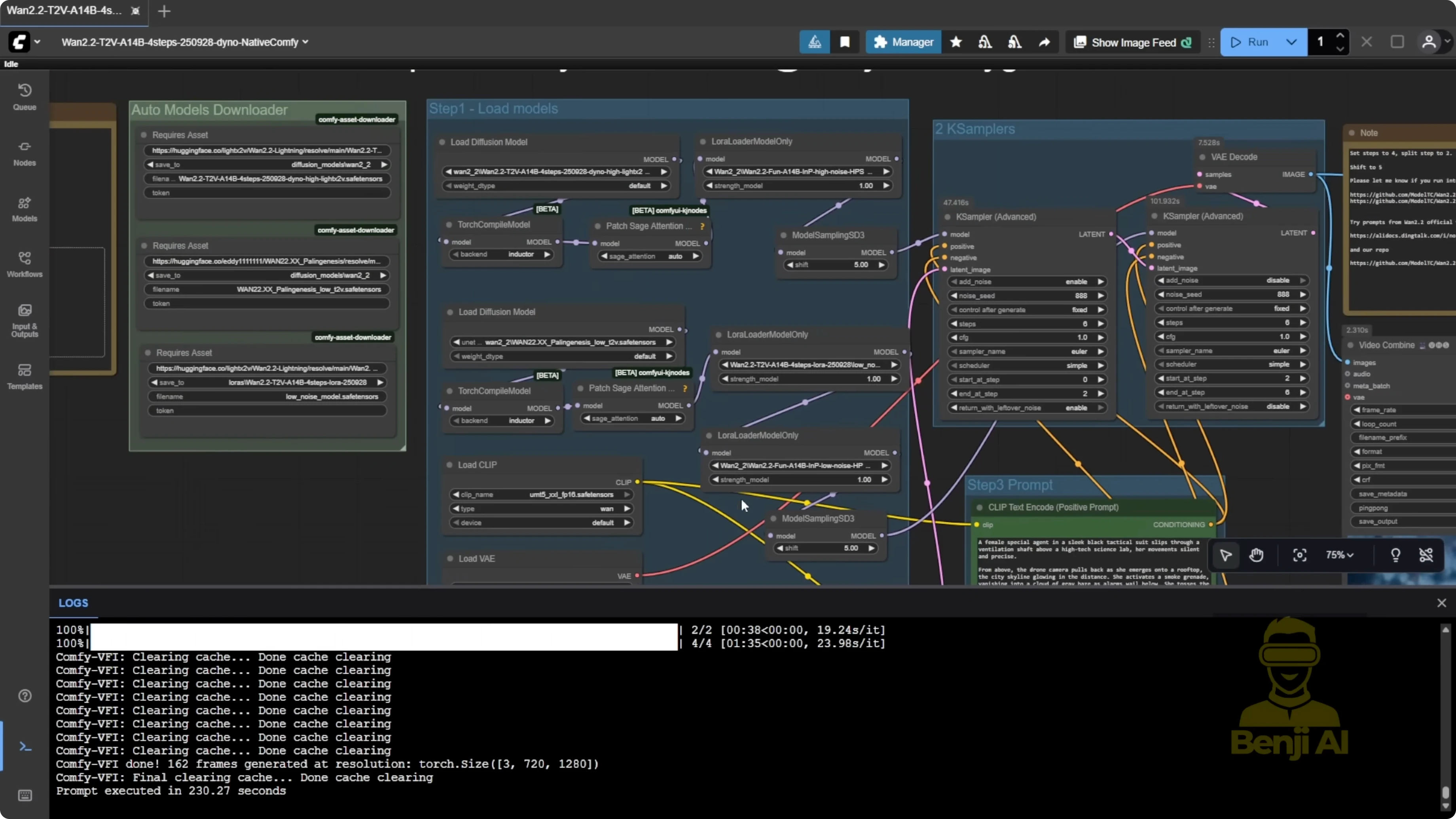
I added HPS Reward LoRA for both high and low noise, plus Sage Attention with Torch Compile.
Results:
- Quality improved with the Reward LoRA.
- Sage Attention did not change high-noise speed much. High-noise sampling stayed around 37 to 38 seconds.
- Sage Attention helped the low-noise pass a lot. My low-noise time improved from 1 minute 33 seconds down to 1 minute 4 seconds.
Practical tips:
- Keep Sage Attention on the low-noise side with Torch Compile to speed things up.
- You can skip Sage Attention on the high-noise side if you want to keep the workflow minimal.
- The update is already fast, and the Reward LoRA adds a noticeable quality boost.
Final Thoughts: Discover How Wan 2.2 Lightning and Fine-Tune Models Solve Old Issues
WAN 2.2 Lightning’s new four-step LoRA and integrated high-noise diffusion model fix the old low-step motion problem and speed up generation. Pairing the high-noise Light X2V diffusion model with Palenis for low-noise text-to-video delivers stronger prompt adherence, better movement, and improved camera work at 720p with much faster turnarounds. If artifacts appear, try a new seed or increase total steps to 8 with a balanced split between high and low noise. Add HPS Reward LoRA for quality and use Sage Attention with Torch Compile on the low-noise pass for a solid speed gain. Overall, it’s a clear upgrade over older Lightning LoRA versions.
Recent Posts
How Wan 2.2 AI Boosts Video with 14B Generation & 5B Upscaling?
How Wan 2.2 AI Boosts Video with 14B Generation & 5B Upscaling?
Can Wan 2.2 Img2Vid Handle Long-Length Video Testing?
Can Wan 2.2 Img2Vid Handle Long-Length Video Testing?
Exploring Wan 2.2’s Final Frame and Local AI Video Highlights
Exploring Wan 2.2’s Final Frame and Local AI Video Highlights