How Wan 2.2 Animates a Groundbreaking Model and VACE Workflow?
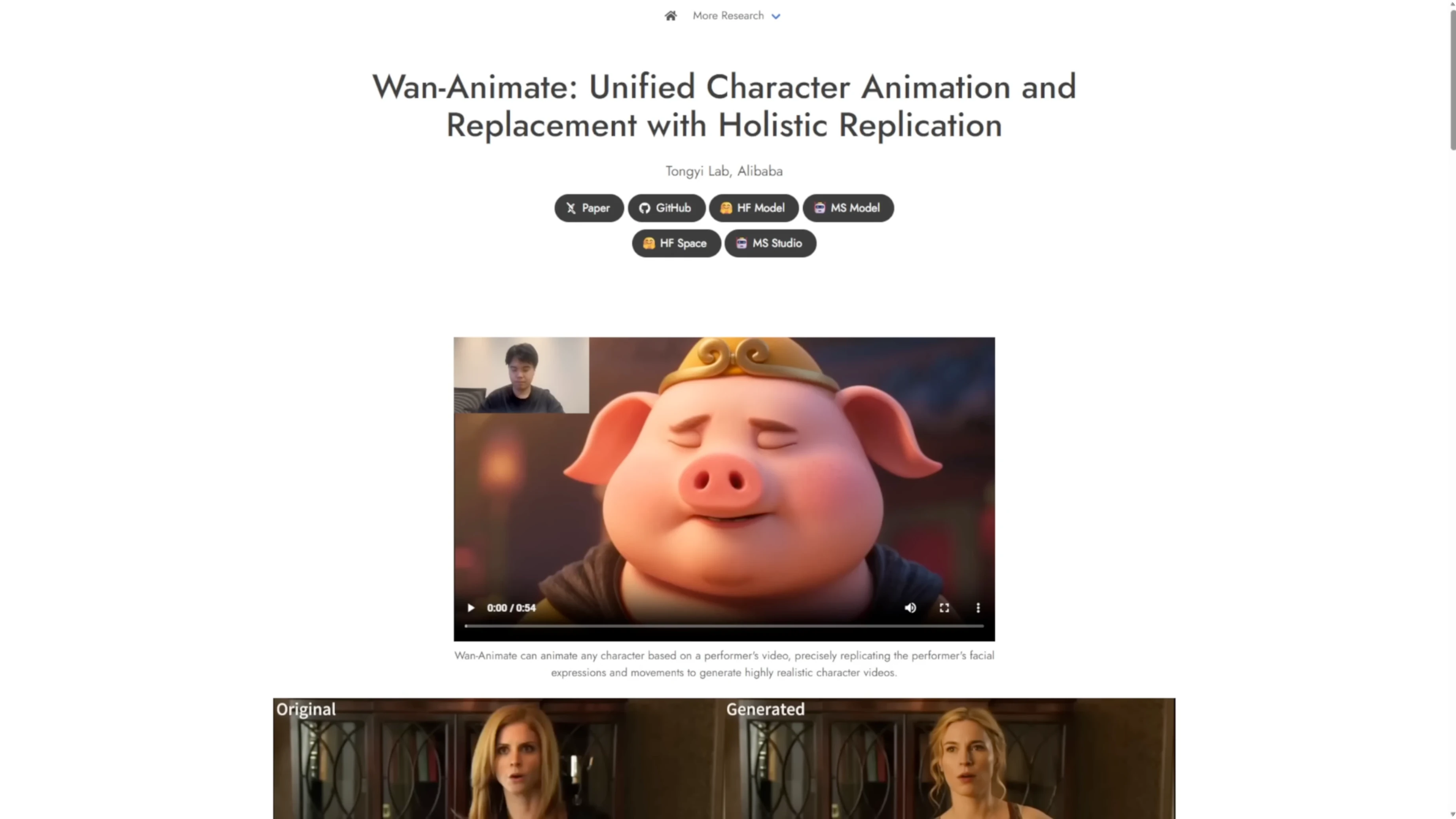
There’s a new model based on the WAN 2.2 foundation models called WAN Animate. It focuses on unified character animation and replacement with holistic replication. What makes it stand out is the ability to swap human or anime characters, support dynamic motions and camera angles, and maintain consistent lighting and color tone throughout replication. This should address the color and lighting issues from the previous WAN 2.1 vase model. There’s already a quantitative comparison with other similar frameworks.
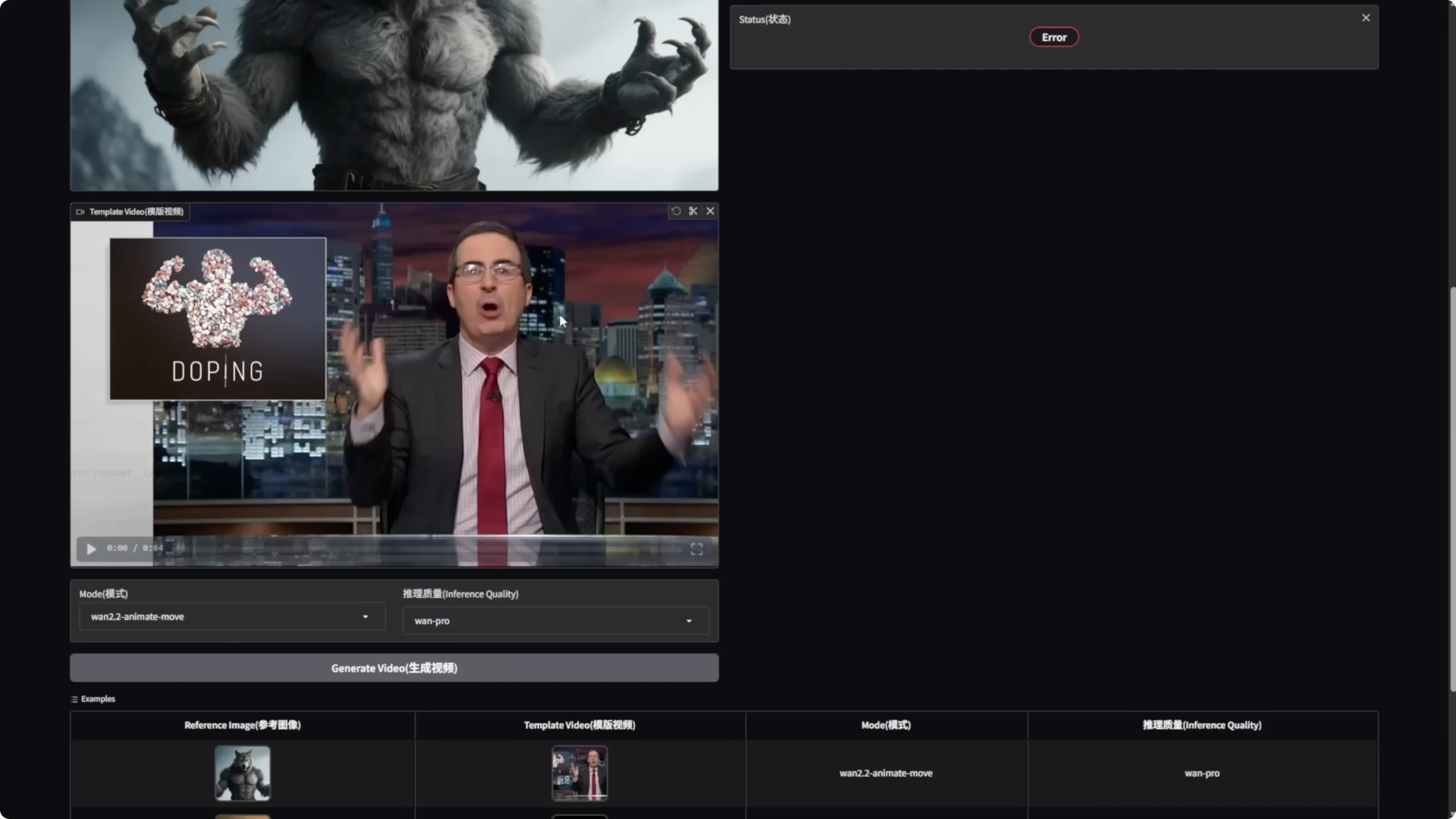
WAN 2.2 Animate already has a Hugging Face space, and the official repo has launched. We’ll have to wait for Comfy UI integration updates for running it locally. If you can’t wait, you can download the Hugging Face app and the WAN 2.2 code. You’ll also need the full PyTorch model weights. I’m downloading those to test it out.
How Wan 2.2 Animates a Model and VACE Workflow?
WAN Animate 2.2 overview
- Unified character animation and replacement with holistic replication
- Character swapping for human or anime characters
- Dynamic motions and camera angles
- Consistent lighting and color tone through replication
WAN 2.2 vase fun: purpose and approach
WAN 2.2 Animate is mostly for character swapping and motion control. For long video generation, I’m using start and end frames with overlapping frames and stitching in a vase (VACE) workflow. It’s not just stitching one image like traditional image-to-video. I’m also using the looping styles I created with WAN 2.1 vase, but optimized. With this looping setup within a single group, we can handle all frames from start to finish. The Alibaba PAL fun model is mostly for research purposes, so don’t take it too seriously.
You no longer need the old workflow where you’d use a single sampler in an individual group to generate the first 81 frames before passing them into the looping process. Everything starts in the loop, beginning with the start image, and we handle the process from there.
Get started quickly with WAN 2.2 Animate
- Download the Hugging Face app.
- Download the WAN 2.2 code.
- Download the full PyTorch model weights.
- Run your tests.
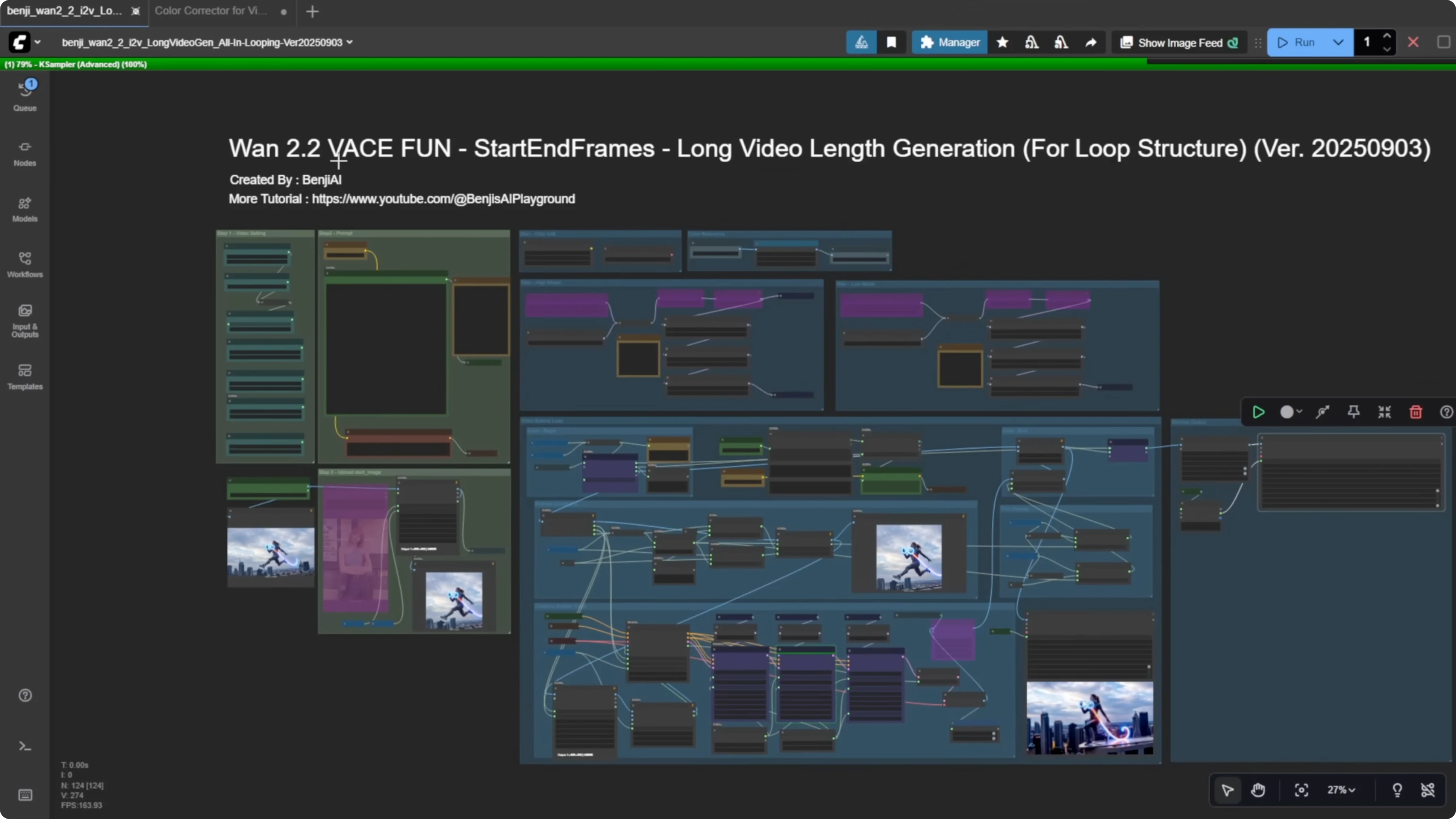
Configure and run WAN 2.2 vase fun for a long video
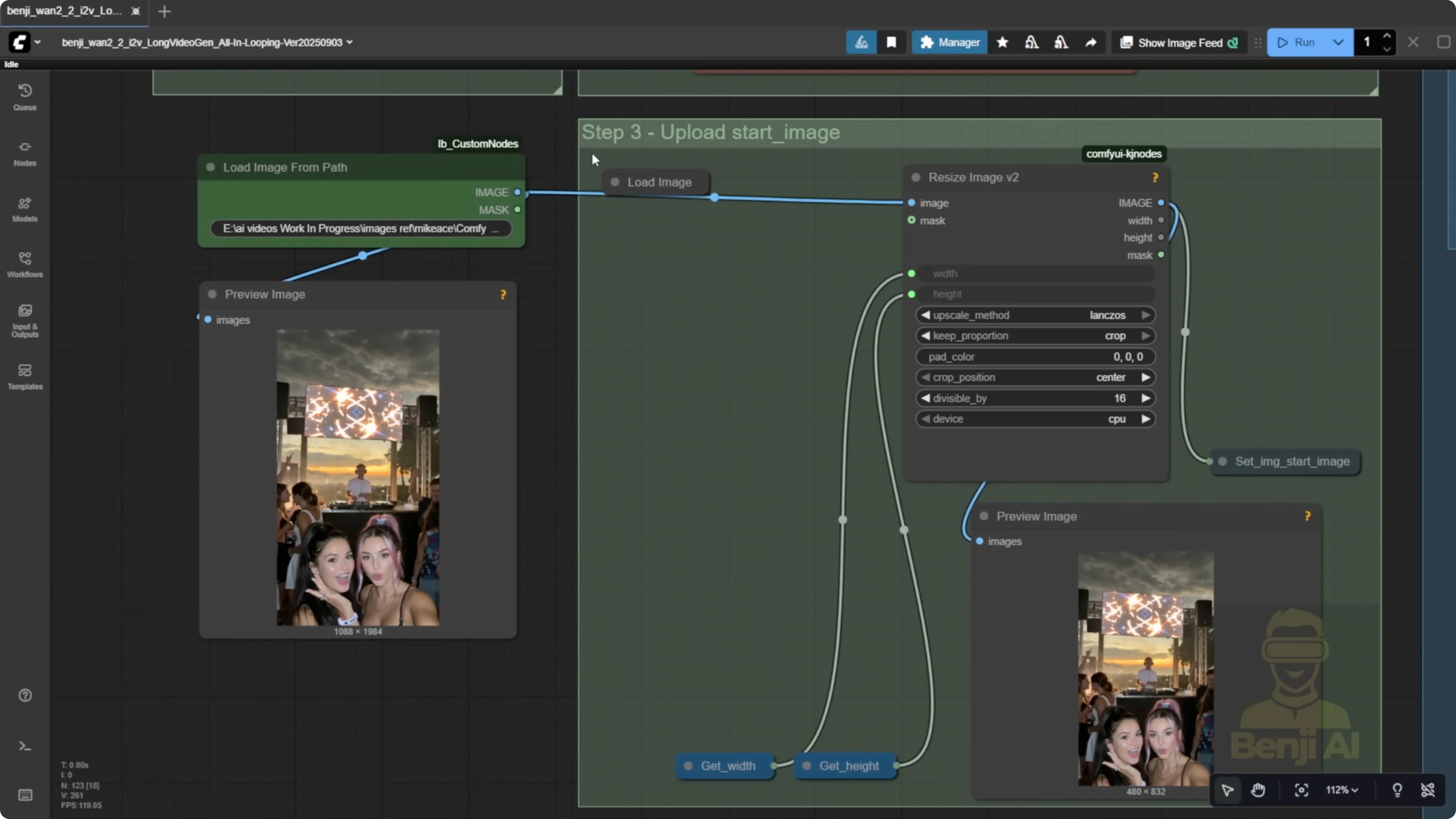
- Load a start image or provide the file path for the first frame.
- Select the WAN 2.2 QA quantized model.
- Run without Sage Attention or Torch Compile if you can’t install them.
- Load the WAN 2.2 Lighting 4-step LORA for text to video.
- Apply all LORA models using the text to video type.
- Optionally load style LORAs such as Instagirl and Pusa.
- Enter your text prompts as one big chunk of text and break lines with new lines.
- Assign a strength for each line to create different travel prompts for different samplers.
- Set video seconds and FPS. The workflow will auto-calculate total frames for the whole video.
- Set the length for each sampler. Use 81 frames by default.
- Set width and height to your target resolution.
- Set overlap frames to 10. This is the default I use.
- Enable a random seed for each loop to avoid repetitive motion.
- Start generation from the loop with the start image and let it iterate.
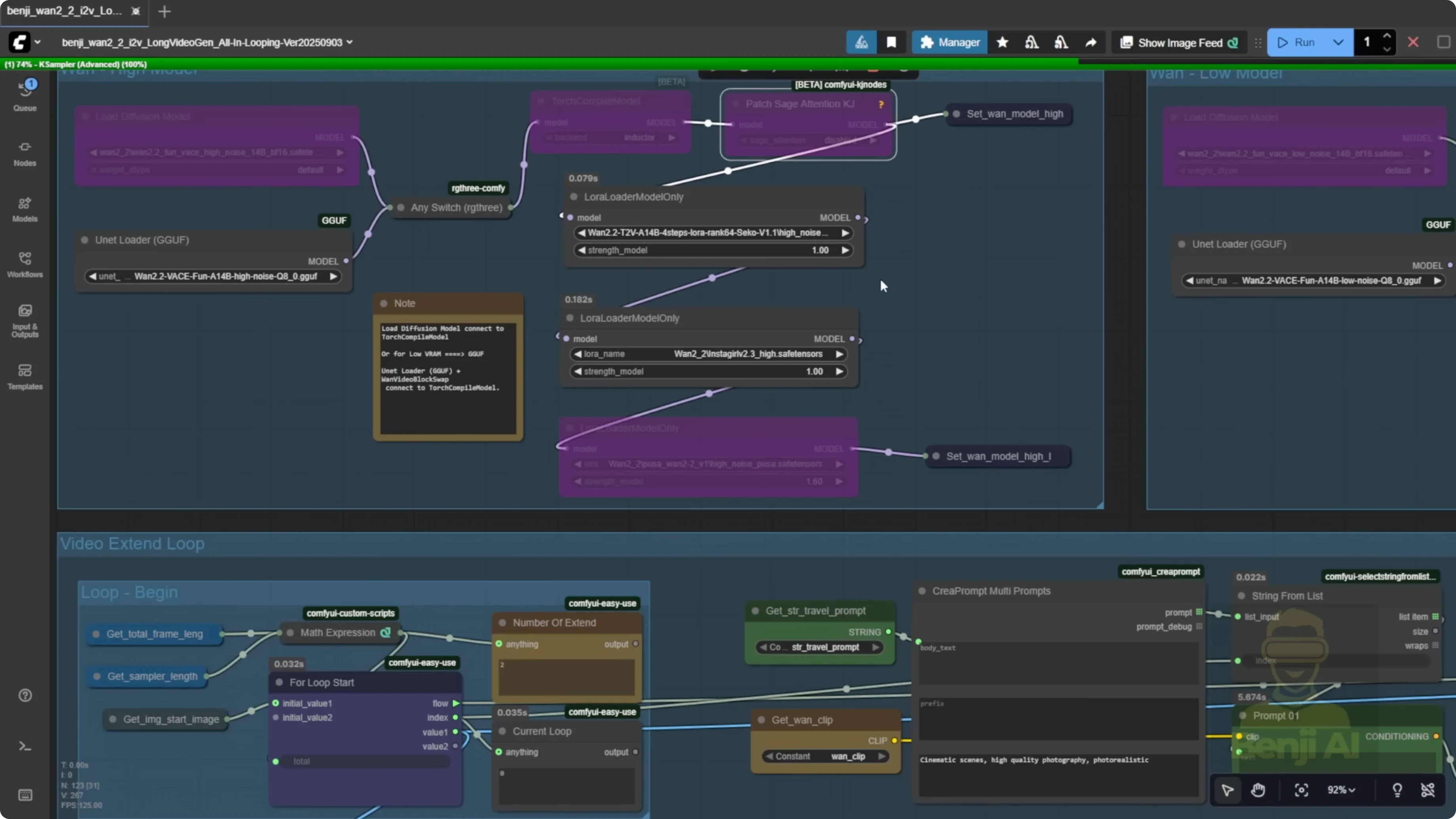
Overlapping frames and motion consistency
Passing overlap frames into vase yields stronger consistency between segments of the video generation. Feeding multiple frames over 10 frames helps start transitions and smooths out the animation. If you pass only one frame into the next sampler for the next segment, it can feel choppy. Stitching multiple 5-second videos this way often shows choppiness and unsmooth transitions in a long video. Using start and end frames with overlap frames smooths out long videos during stitching.
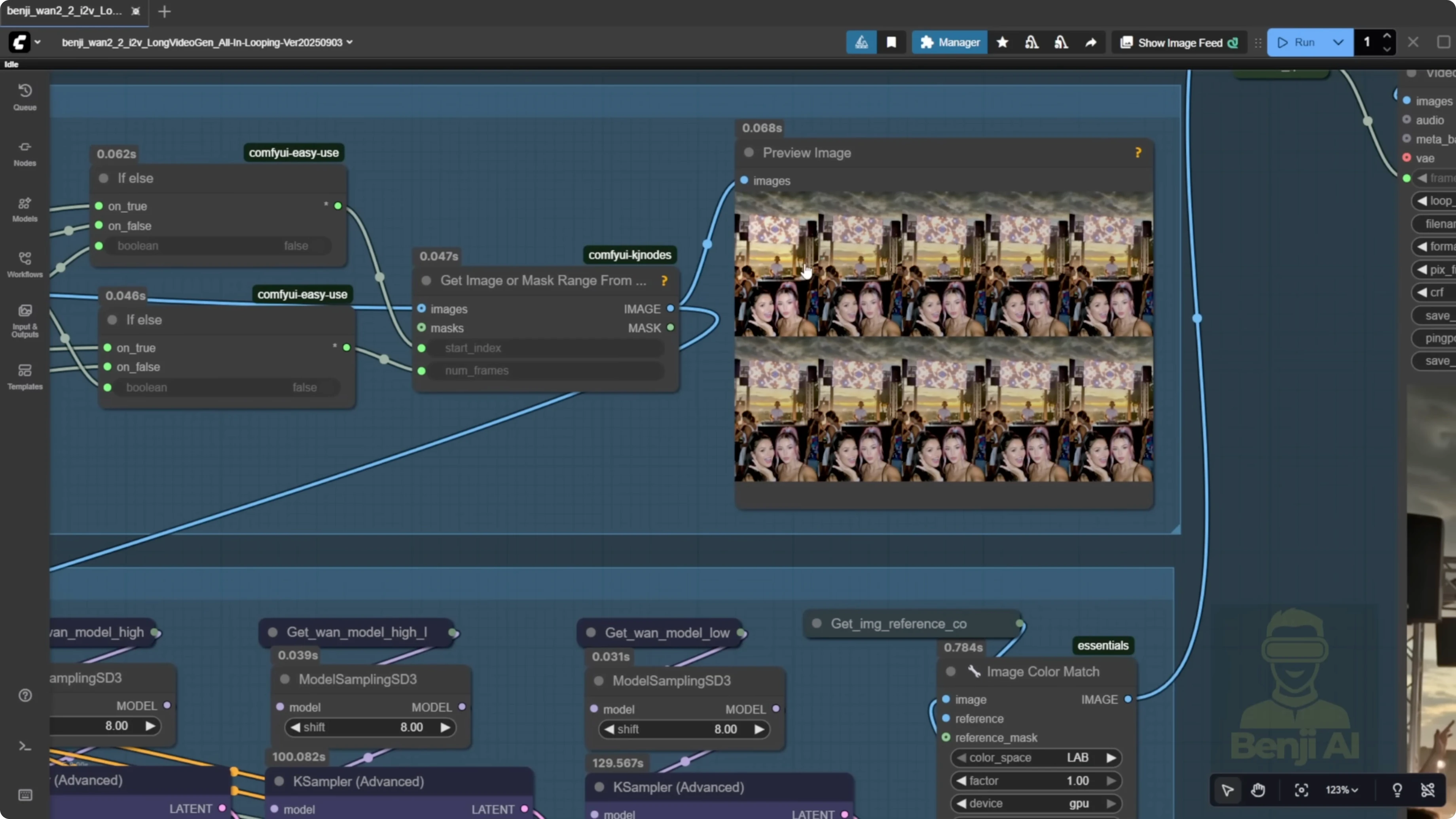
Loop counting and index notes
- The loop index starts from 0.
- The counter for the number of loops starts from 1.
- They won’t match. Treat the counter as the human-readable loop count and the index as the internal 0-based tracker.
Result and current limitation
An image can be turned into a long video using vase fun’s first and last frame approach. The whole thing animates into a long video. There can still be some color shifting as time progresses and you move to the next batch of generations and frames. That can be fixed.
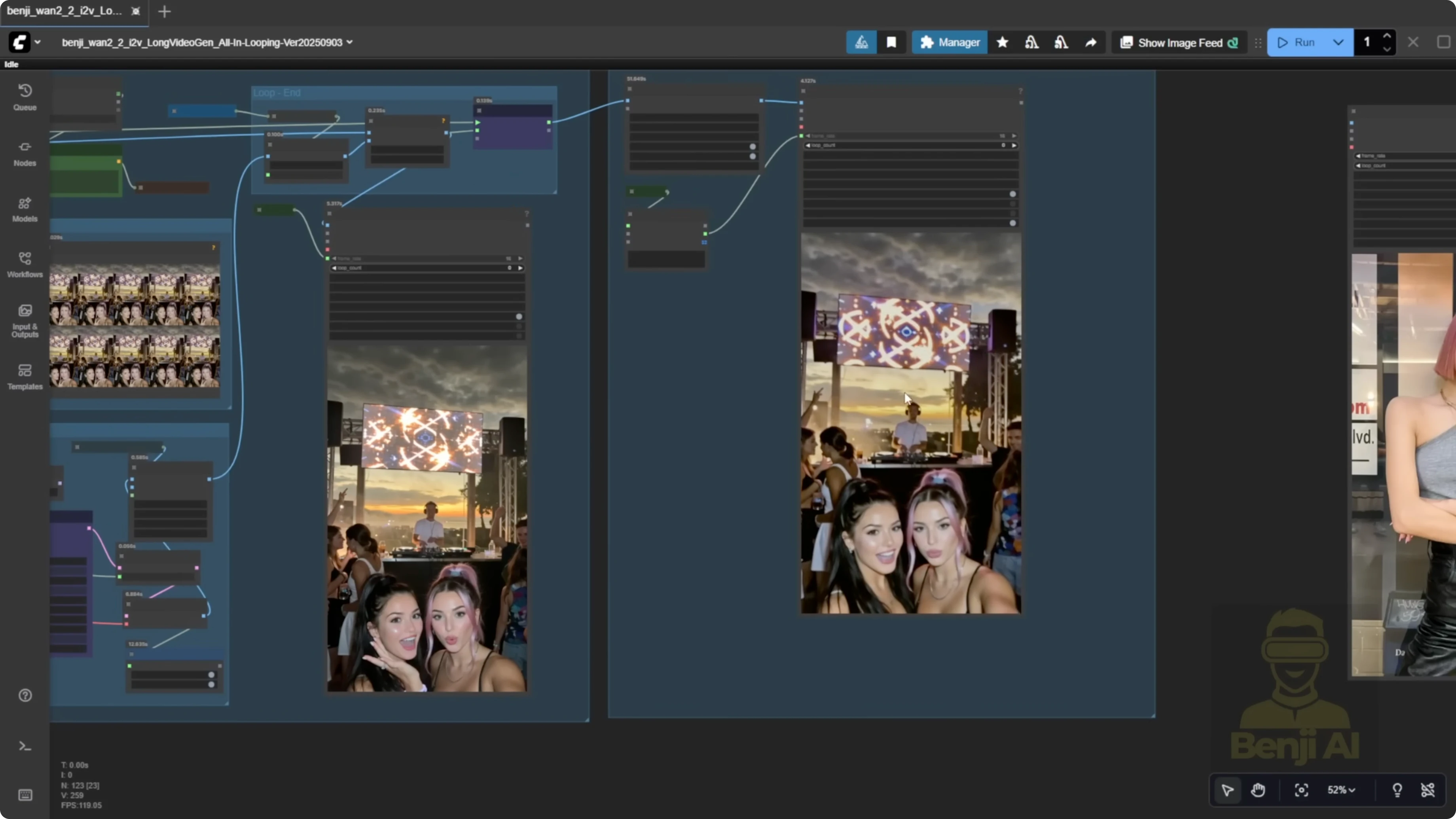
Compare vase to traditional image-to-video stitching
Using only image-to-video depends on the length of each clip and starts from a single image. It works, but you’ll often see choppiness and unnatural movement between 5-second stitches. Grabbing just the last frame won’t stitch videos smoothly between segments. For example, a character might stand up and then sit back down, and you can feel where a new 5-second segment begins. In another example with a walking subject, a camera pan around the 14 to 15 second mark can feel uneven. With vase, using overlap frames and feeding multiple frames helps the AI understand motion in the last 10 frames and continue that motion into the next frames. It inherits motion from the previous frames, so overall motion is smoother than with single-frame stitching.
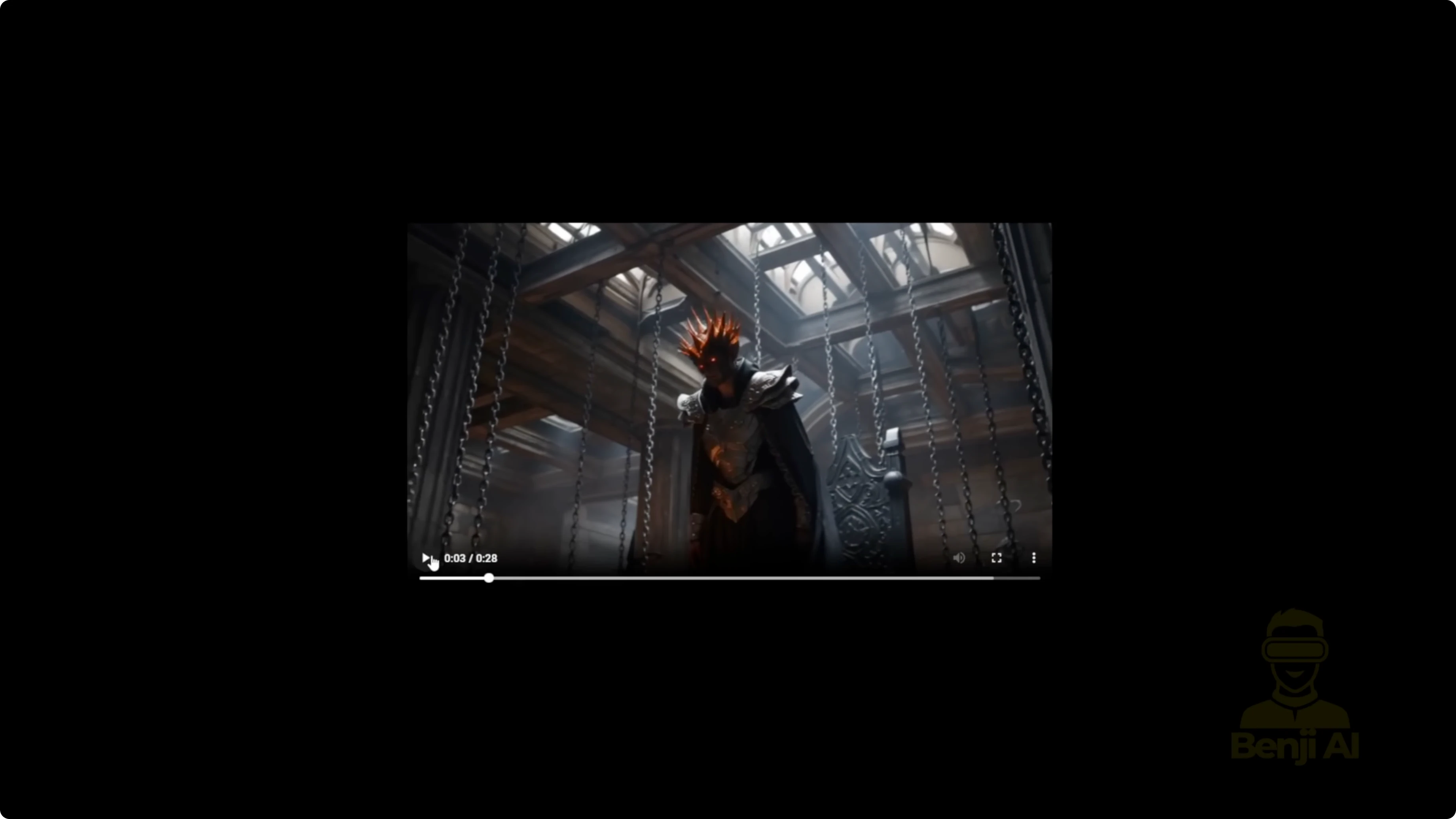
Recreate my sports car cyberpunk test
- Load your image or set the file path for the first frame.
- Set width and height. My source image was wide and resized down to 480p successfully.
- Set total duration to 30 seconds.
- Set FPS to 16. You can double FPS later in the final section of the node groups.
- Run the workflow and note the loop count. In my example, it showed six loops.
Motion direction issues and why Pusa LORA matters
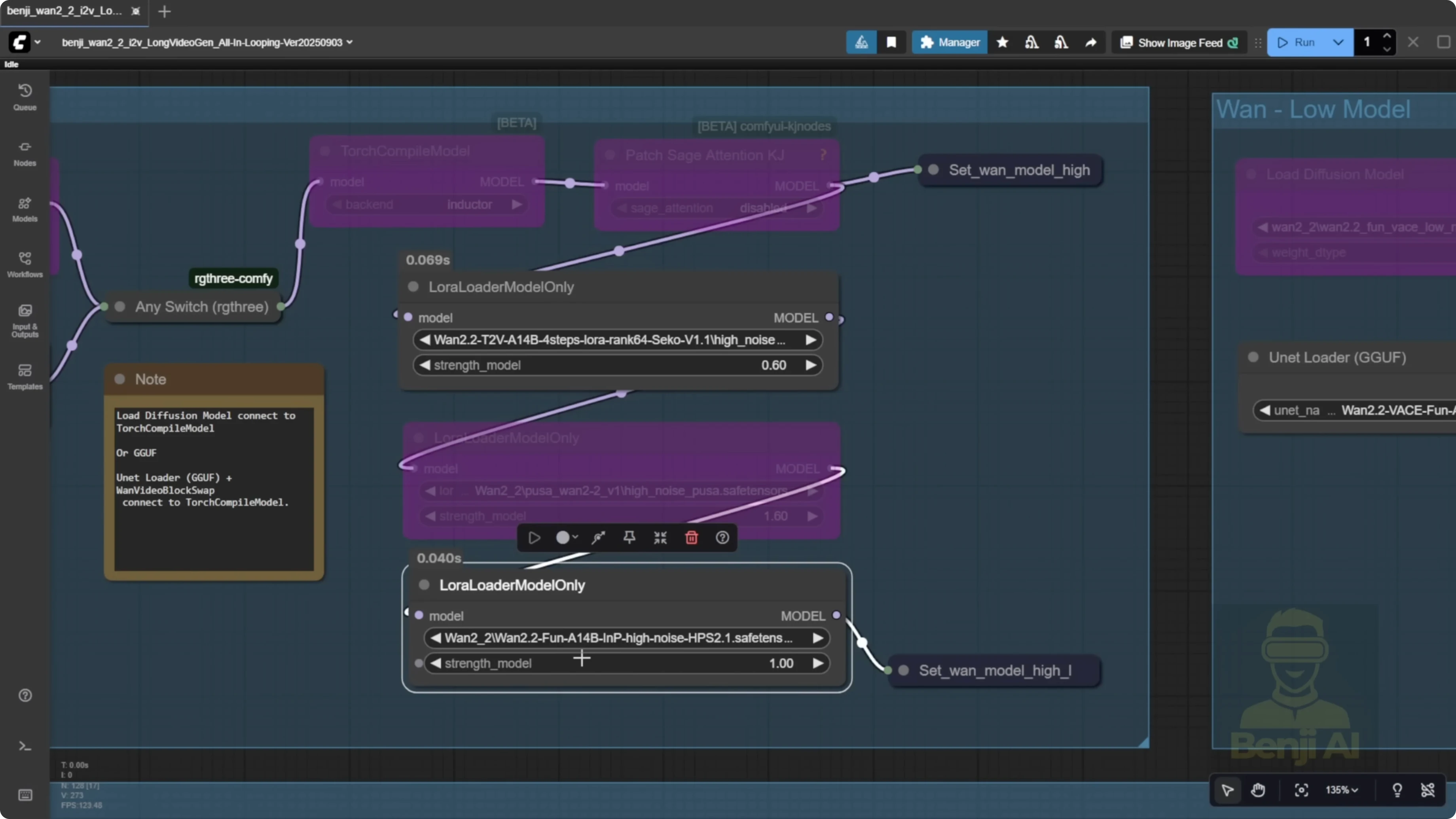
When running long videos with directional prompts, you might see reversed motion. A car can move backward if Pusa is off. I turned Pusa off and just used Light X2V with the reward model HPS2.1 to enhance motion and coloration, and the direction became incorrect. Without Pusa, you may not get correct motion for a car driving, a human walking forward, turning left or right, or a river flowing downward. After separating multiple samplers and transitioning across start and end frames, the model can lose directional cues. Pusa is the LORA I use to fix this, especially when combined with a reward.
Fix motion direction with Pusa LORA
- Turn on the LORA loader for Pusa.
- Keep Light X2V and use the reward model HPS2.1 to enhance motion and coloration.
- Use a random seed per sampler loop to avoid repetitive motion.
- Generate and review motion by the second loop. The direction should correct itself for cars, waterfalls, and humans moving forward, backward, or turning.
Expectations and takeaways
My conclusion on WAN 2.2 vase fun is that the Alibaba PAL fun series of AI models are mostly experimental. They’re not a new hope for a series of AI models from Alibaba. When Alibaba PAL launches something, you can usually expect a better version from the official Alibaba 1 AI videos team repo, which is what we’re seeing now with the WAN 2.2 Animate model.
Final Thoughts
WAN Animate 2.2 brings unified character animation and replacement with consistent lighting and tone, and WAN 2.2 vase fun offers a practical long-length workflow with start and end frames plus overlap frames for smoother stitching. The simplified loop-first approach means no more separate first-81-frame sampler. Use line-broken prompts with strengths, keep overlap at 10 for smooth transitions, and enable random seeds per loop. For correct directional motion in long videos, turn on Pusa and pair it with a reward like HPS2.1. The PAL fun models are research-focused, and stronger official releases tend to follow, with WAN 2.2 Animate already pointing in that direction.
Recent Posts
How Wan 2.2 AI Boosts Video with 14B Generation & 5B Upscaling?
How Wan 2.2 AI Boosts Video with 14B Generation & 5B Upscaling?
Can Wan 2.2 Img2Vid Handle Long-Length Video Testing?
Can Wan 2.2 Img2Vid Handle Long-Length Video Testing?
Exploring Wan 2.2’s Final Frame and Local AI Video Highlights
Exploring Wan 2.2’s Final Frame and Local AI Video Highlights